




Zapier is one of the most popular automation tools, helping teams and individuals across the globe automate their repetitive tasks using AI workflows.
For Executive Assistant Cortney Hickey, who supports CEO Wade Foster, automation is a personal necessity. As part of a fully remote company with employees in over 30 countries, Cortney manages complex global scheduling daily.
Before Vimcal, this meant manual timezone calculations and availability sharing. These are tasks that consumed 10-15 minutes per request with a high risk of errors.
After Vimcal, Cortney saved up to five hours each week, eliminated timezone calculation mistakes entirely, and transformed scheduling from her least favorite task into something she could clear from her inbox in minutes.
Testimonial
"I feel like I look like a boss when I can send really complicated timezone calculations back to someone in less than five minutes.”
— Cortney Hickey
The challenge: Managing global scheduling with Google Calendar alone
Cortney and the Zapier EA team had been using Google Calendar for years, but as a large organization spread across the globe, the limitations were becoming impossible to ignore.
“I don't understand how Google Calendar has been around so long and is so embedded in businesses, yet they do such little innovation on their product. Google Calendar looks the same as it did when I started at Zapier four years ago.”
With Wade conducting constant interviews and partner meetings globally, every scheduling request meant mental math or Googling time zone conversions, which created constant opportunities for errors.
“If you're manually sending times to an external partner or candidate, you can mess up a timezone; it's very easy because we’re moving fast and multitasking.”
Beyond the high error risk, manually grabbing times and typing them into emails was also a major time suck.
“A meeting I'm scheduling across multiple time zones internationally would probably take me 10 to 15 minutes to put together with the different timezone calculations and send them off to the external partner,” explained Cortney.
The team needed something purpose-built for their workflow. A tool that could: help manage multiple executives, integrate with their existing systems, and allow for quickly grabbing and sending times with automated holds across time zones
How Vimcal EA helped Zapier solve their challenges
Cortney and the Zapier EA team needed a tool that could match the speed and precision of Zapier's automation philosophy. Here's what they achieved with Vimcal EA:
1. Eliminating timezone math
Google Calendar makes scheduling across timezones difficult. This was a huge timesuck for Cortney, who was regularly scheduling meetings across the world for her CEO.
Vimcal EA displays multiple time zones simultaneously in a stacked view, so you can see overlapping work hours at a glance. When scheduling meetings, you can instantly switch between timezones with a single click.
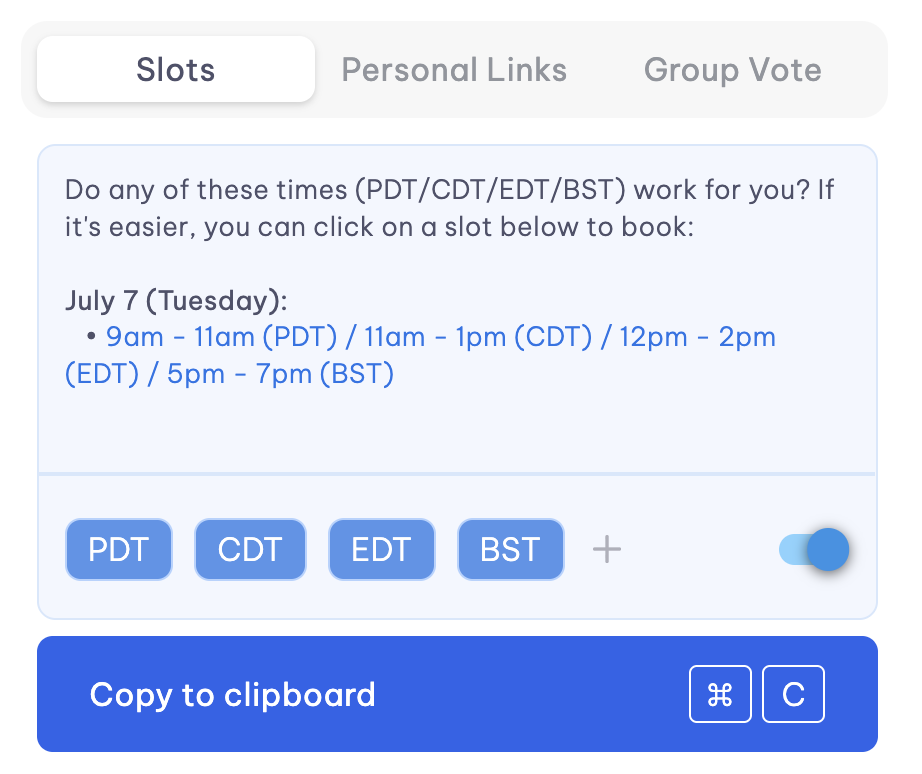
By pairing Vimcal EA’s Time Zone feature with Slots, Courtney improves her workflow even further. The Slots feature automatically formats times in whichever time zone you select, so when you're proposing times to someone in a different zone, the text you copy is already in their local time.
The feature also remembers your last selection, so if you need to switch timezones or if you made a mistake, you can instantly pull up those same slots without recreating them.
“We've become highly reliant on Vimcal, especially for external scheduling. It would hinder our ability to quickly move forward, get through our inbox, schedule meetings quickly,” says Cortney.
2. Automating hold management to prevent double-bookings
Cortney was looking for a smart tool that can help create holds for her CEO’s extensive interviewing schedule:
“Being able to quickly grab and send times and place holds on calendars was a feature we were looking for.”
Smart holds in Vimcal EA work in tandem with Slots. When you drag to select availability to send to someone, Vimcal automatically creates calendar holds for those time slots. You can pre-fill meeting details (title, location, attendees) that will auto-populate when the meeting is confirmed.
Then, when someone books one of those slots (whether through a booking link or by replying to your email) Vimcal automatically deletes the holds for the times that weren't selected.
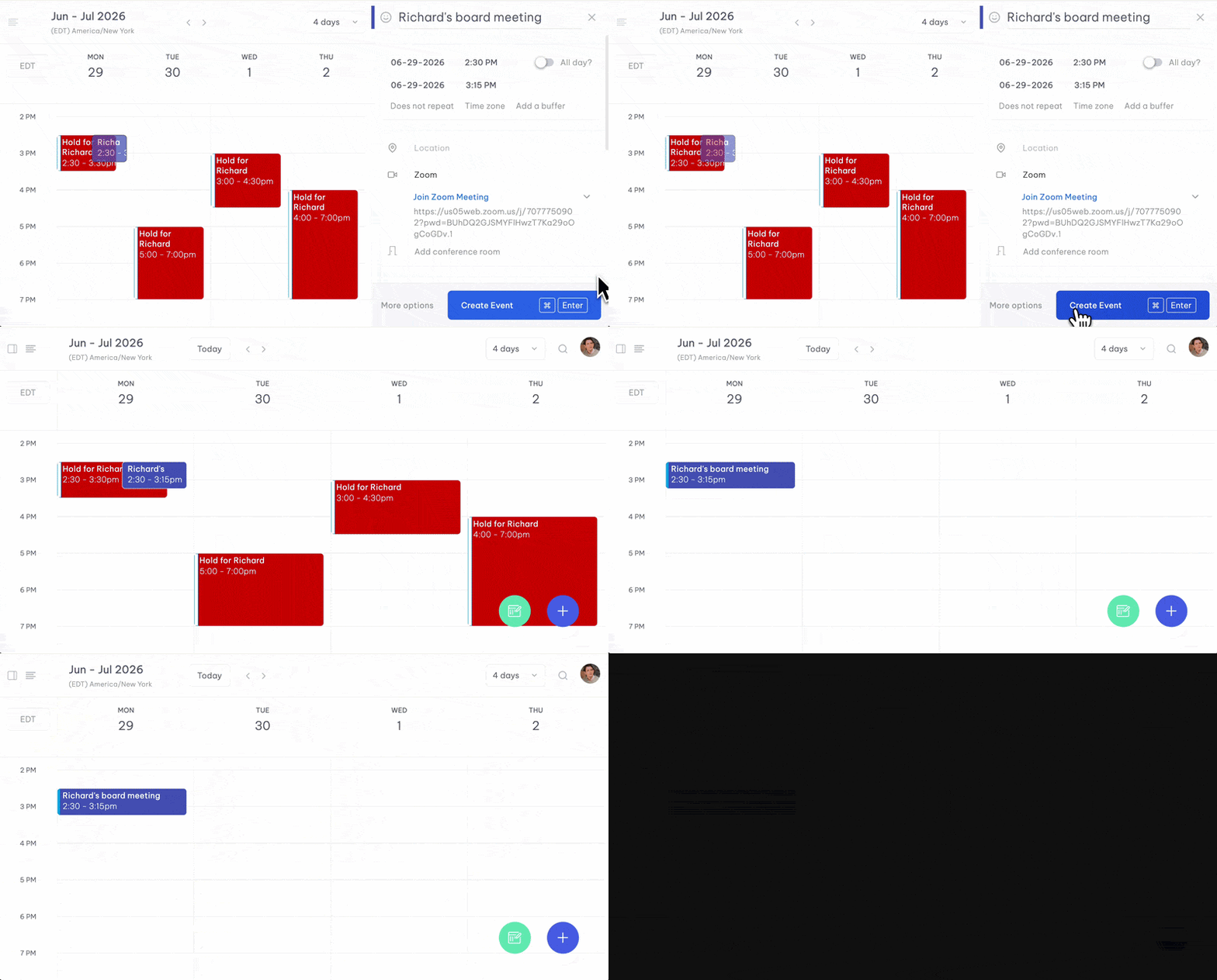
Before Vimcal EA, proposing times with holds could take 77 clicks. With smart holds, it takes eight, along with eliminating the tedious manual cleanup that used to follow every confirmed meeting.
3. Managing multiple executives with dedicated profiles
Cortney has worked not just with the CEO, but with different execs in her role at Zapier. This meant different calendars and needs for different executives.
“While I mainly support our CEO, I've tagged in and supported all of our execs at one point or another. And so the ability to have different executive profiles was big for us,” Cortney explains.
Vimcal EA's executive profiles feature allows EAs to manage multiple executives from one interface, with separate tabs for each executive's calendar. You can customize preferences and timezones per exec, and the EA receives all notifications on the exec's behalf.
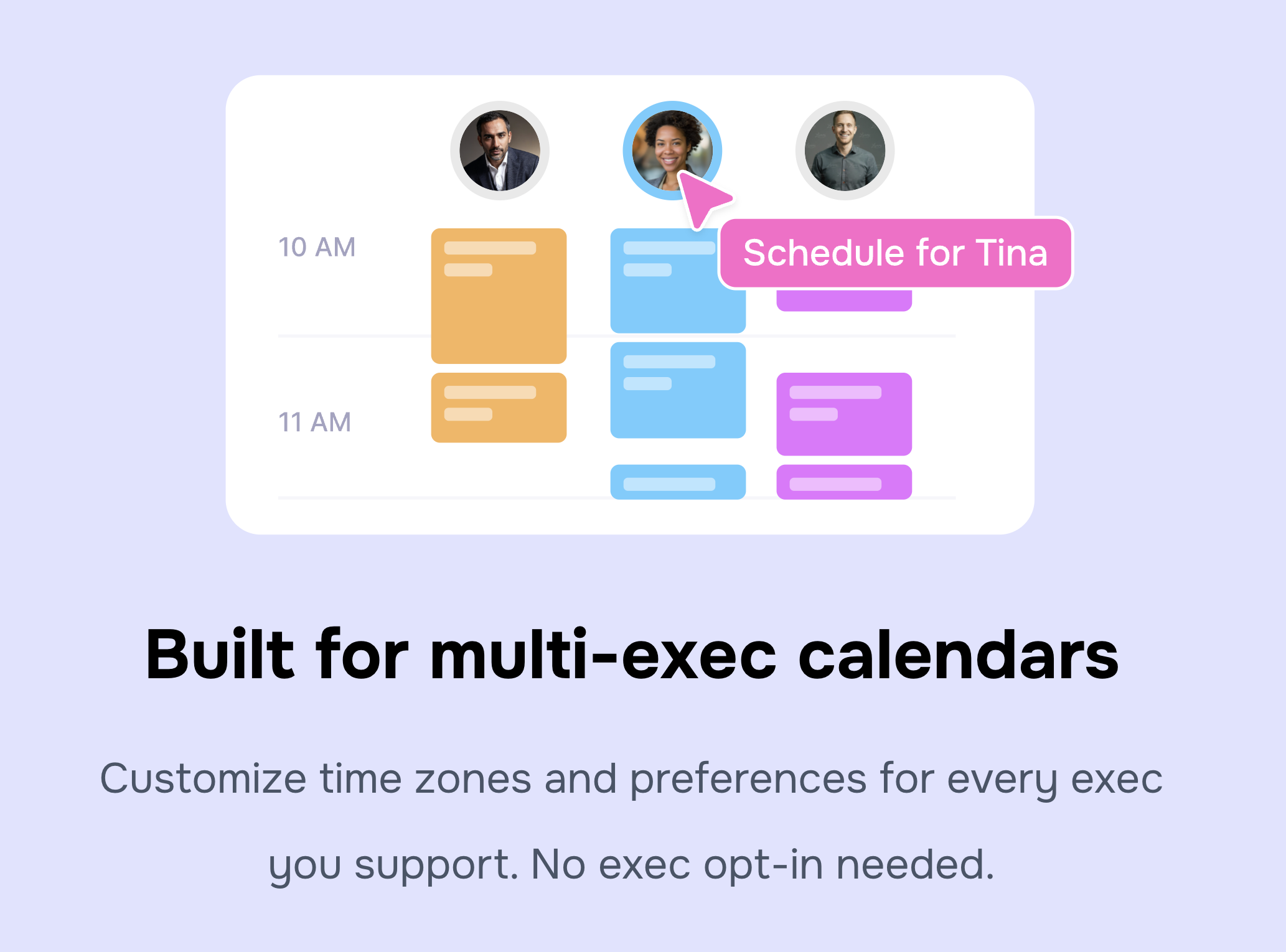
We also recognize that each exec and EA work differently and have diverse preferences for how they’d like to manage a calendar. So Vimcal EA provides each EA in your company with a separate 1:1 onboarding.
“Of course, some things that we do are standard, but with each EA, there's a bit of a different way of doing things and different questions they have. The one-on-one implementation calls were super helpful and [the Vimcal team] always offered to hop on calls again to dig deeper into any challenges,” says Cortney.
This flexibility was essential for Zapier's EA team, where coverage and collaboration across executives is part of the workflow.
The results of using Vimcal EA: Fully living Zapier’s automation mission
The metrics speak for themselves: Cortney saves up to 5 hours each week thanks to Vimcal. But the transformation goes deeper than time savings.
“Every minute that I can take away from doing a mundane task and put it back to supporting my executive impacts my success and the company's success. Using Vimcal helps me automate, simplify, and better prioritize my work, so I can spend time on the more strategic parts of my role.”
The change in Cortney's experience with scheduling is stark. Before Vimcal, she rated scheduling satisfaction at a 5 out of 10. After Vimcal EA? That jumped to a 9 out of 10.
”Sending times manually is a drag. I'd probably put it at the bottom of my list for favorite tasks. Now scheduling is one of those things that I love to get out of my inbox as quickly as possible because I can just quickly send and grab times with Vimcal. I feel like I look like a boss when I can send really complicated timezone calculations back to someone in less than five minutes.”
Vimcal EA also became an extension of Zapier’s philosophy and allowed the EA team to truly live their mission of automation.
“[Vimcal] allows Zapier to really live its mission of automating and simplifying your repetitive & mundane work.”
Moving forward with Vimcal EA
The Zapier EA team continues to rely on Vimcal EA as an essential part of their workflow. Because for an EA team supporting a company in hypergrowth, Vimcal EA delivered exactly what Zapier's mission promises: automation that gives you superpowers. Up to five hours back every week. Scheduling errors eliminated. A dreaded task transformed into a competitive advantage.
As Cortney puts it:
“We say at Zapier: ‘Zapier makes you happier,’ but Vimcal has made us happier too.”
