Finding the right time is taking too much of your time
Your current system is either cold or time-consuming
Booking links feel cold and gives everyone access to all of your calendar's availabilities
Proposing available times manually requires too much back-and-forth to find a common slot that works
You need to create + delete holds for every slot you suggest, which takes over 77 clicks (yes, we counted)
Your future system is thoughtful and takes seconds
Share specific slots on your calendar and pick different times for different people, based on your needs
Drag available times on your calendar that are ready to be copy-pasted instantly
Automatically hold your proposed times and release them when a meeting is booked (takes less than 8 clicks)
Step 1
Connect your current calendar
Vimcal EA fits right into your existing workflow with no need to switch systems.
You can think of it as a layer on top of Outlook and Google Calendar. Any changes you make in Vimcal EA show up instantly in your existing calendar and vice versa.
Step 2
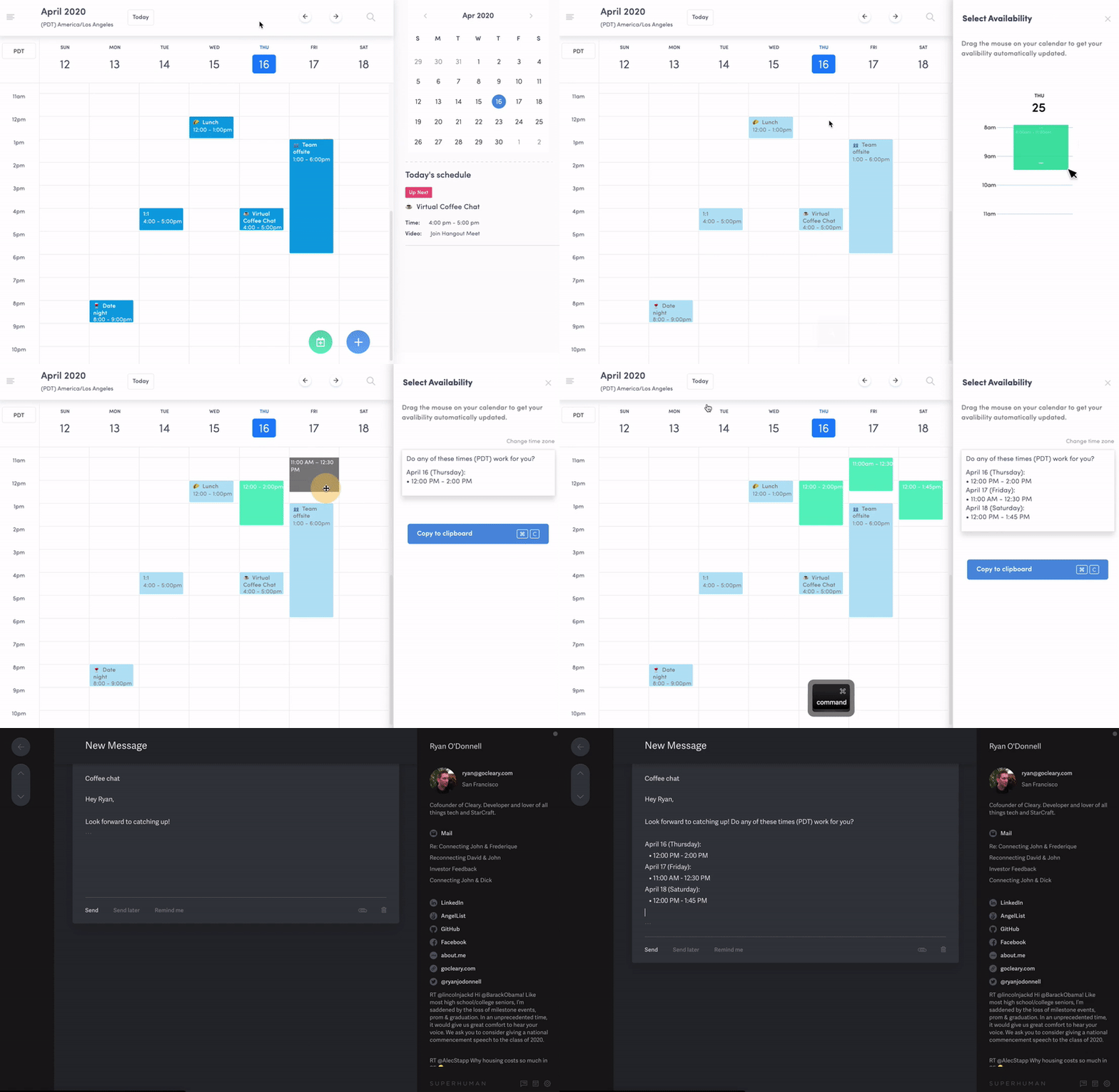
Select times to propose
Click “Slots” under the Quick Actions menu in the left panel and start dragging the times you want to send.
The times will be formatted in real-time and immediately ready for you to copy and share.
Step 3
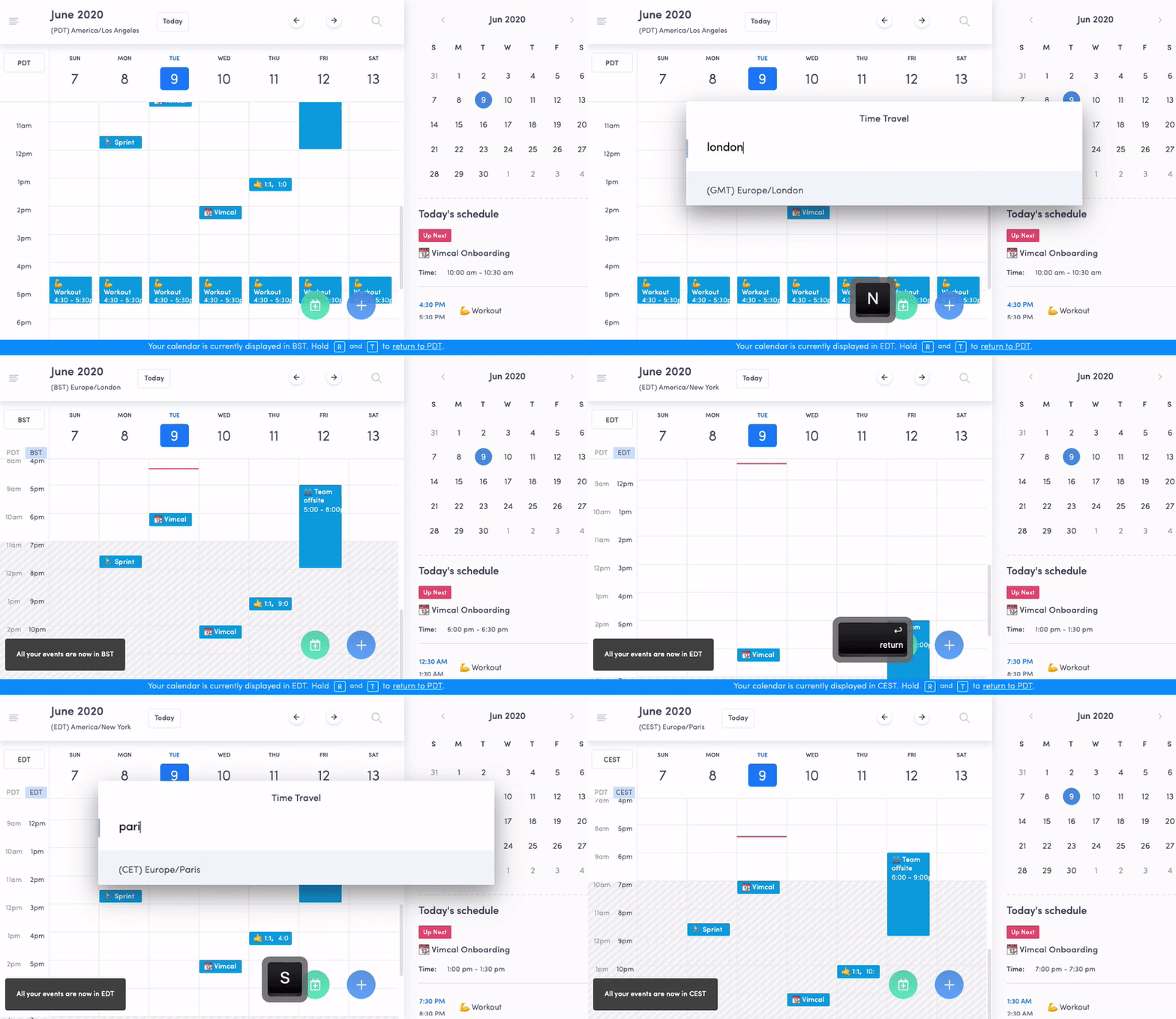
Convert time zones
Scheduling with someone abroad? Convert the times you're sending into their local time without leaving your calendar.
Step 4
Create holds without the headache
No more keeping post-it notes or going through old emails to track down all your calendar holds.
Assign a specific color and title for your automatically created holds so they’re easy to spot. Once someone confirms a time, your holds will automatically delete themselves.
Step 5
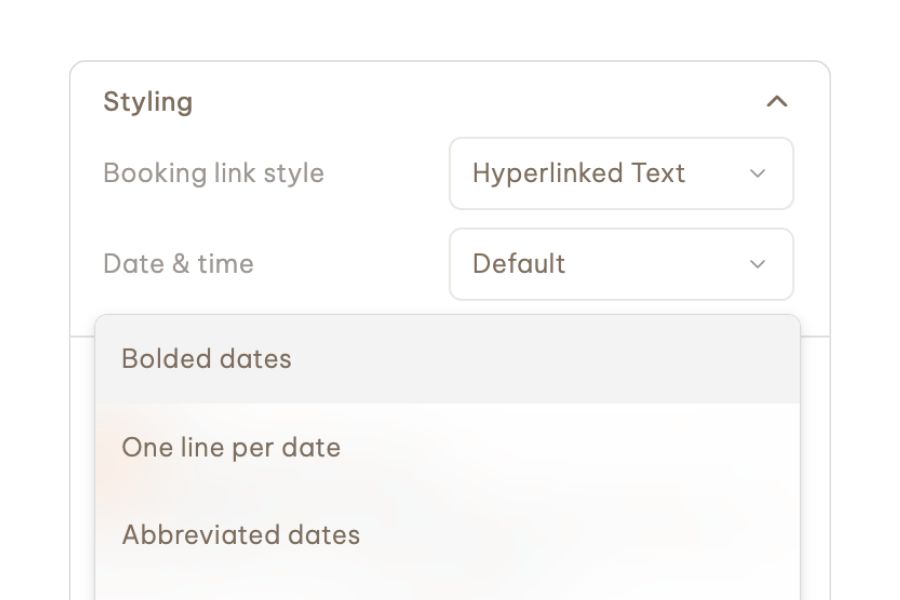
Stylize your slots
Whether you want the dates to be bolded or to write your own repeatable pre-Slots copy, you can customize your Slots before sending.
“This tool has cut the amount of time I spent on my exec's calendar in half. Every time I ‘select availability’ and ‘copy to clipboard’, I high five the Vimcal EA team mentally.”
— Alexa Watkins
Executive Assistant at Aescape
Discover how effortless scheduling meetings can be











.jpg)