Add buffers and travel time between meetings
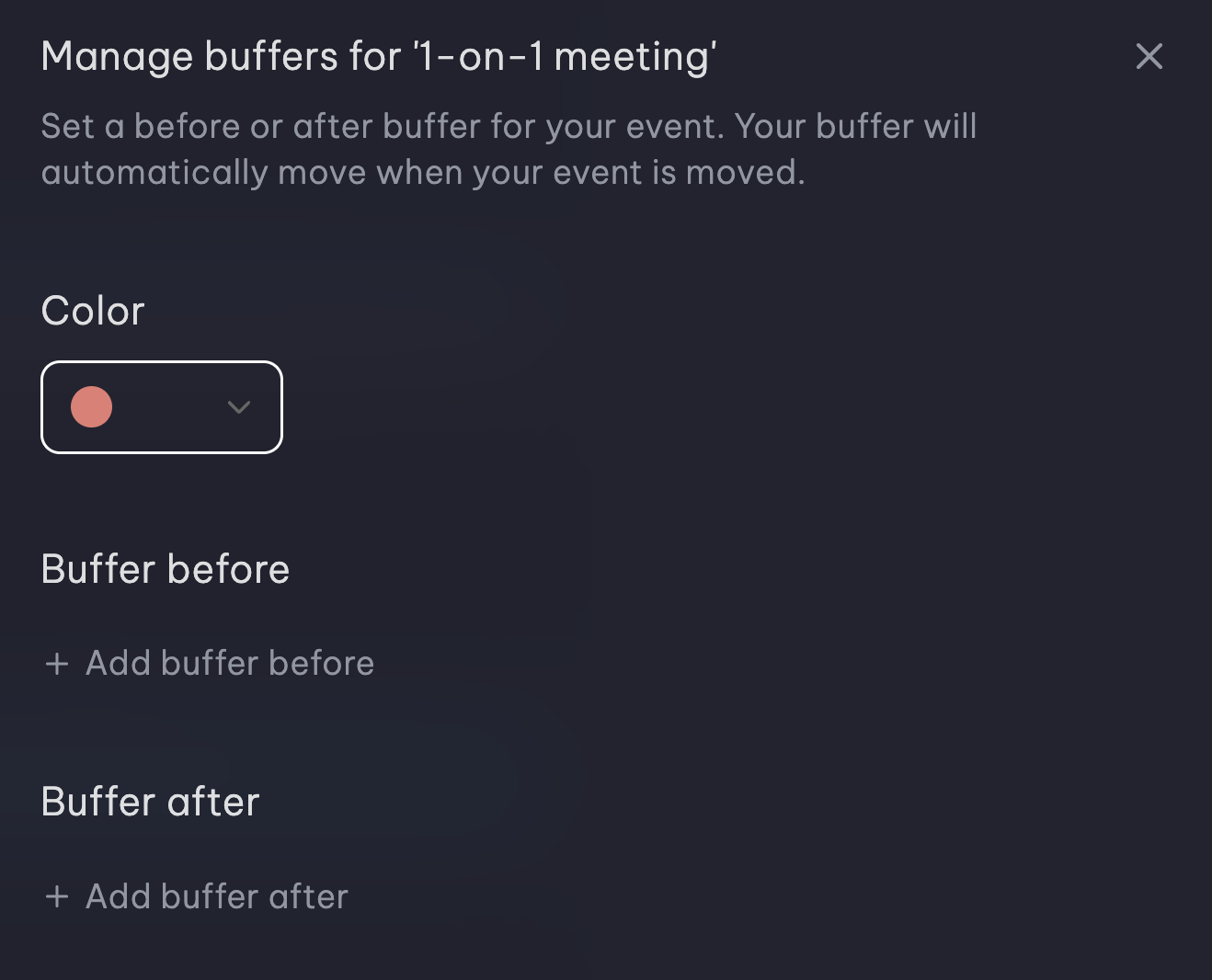
Vimcal's Smart Buffers add color-coded buffers and travel time before and after any event. If you reschedule the meeting, the buffers move along with it.
Works with Google Calendar and Outlook







Room to breathe between meetings
No more dragging placeholder blocks
Reschedule a meeting and its buffers move with it, so you never have to move a placeholder block by hand again.
Travel time based on real traffic
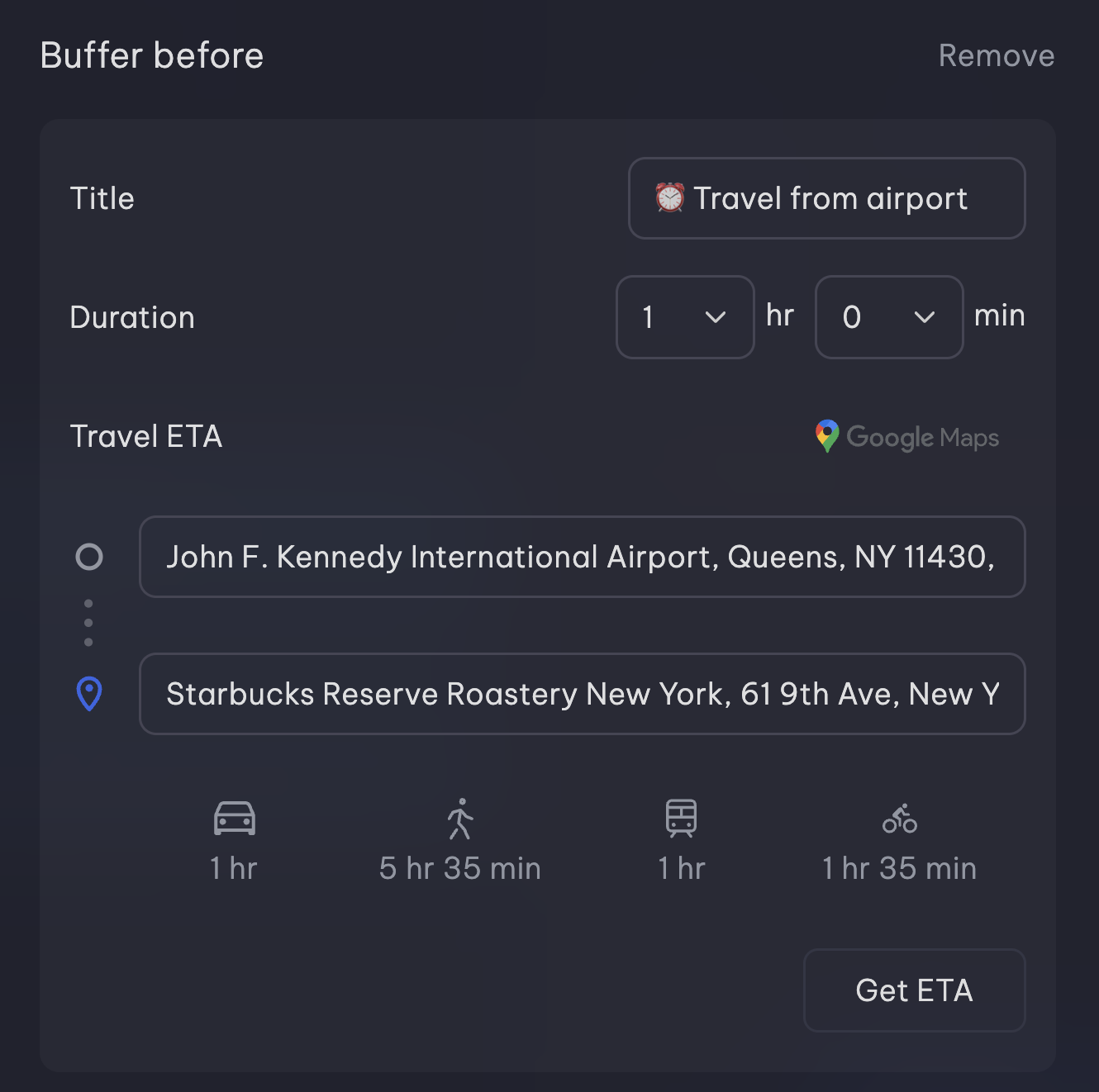
Pick walk, drive, bike or train. Vimcal estimates the trip from live and historical traffic and puts a Google Maps link in the buffer.
How it works
Adding a buffer takes a few clicks.
01
Create or edit any event
Start a new event, or click one that's already on your calendar.
02
Select Add a buffer
Add time before, after or both, like 10 minutes to prep before a board meeting or time to debrief after a 1:1.
03
Add travel time to in-person meetings
Enter where you're coming from and pick walk, drive, bike or train. Vimcal fills in the travel time and adds a Google Maps link to the buffer.
04
Protect your booking links
Add Smart Buffers to a booking link so nobody can book you right up against another meeting.
Who it's for
Executives
Get a few minutes to reset between back-to-back meetings instead of running late all afternoon.
Founders
Take 10 minutes to prep before a board meeting and a few more to debrief after it.
Sales reps
Plan a day of in-person customer visits with real travel time between each one.
Executive assistants
Protect your exec's transition time so meetings don't stack up.
Frequently asked questions
Which calendar app adds buffers and travel time between back-to-back meetings?
Vimcal. Its Smart Buffers add color-coded prep, debrief or travel time before and after any event, and for in-person meetings Vimcal calculates travel time from live and historical traffic. Buffers move with the meeting when it's rescheduled, and it works with Google Calendar and Outlook.
How do I add buffer time between meetings?
In Vimcal, create or edit any event and select Add a buffer. Then choose how much time to add before or after it.
Does Vimcal calculate real travel time, or just block a fixed amount?
Real travel time. Pick walk, drive, bike or train, and Vimcal estimates the trip from live and historical traffic. The buffer includes a direct Google Maps link.
What happens to buffers when I reschedule a meeting?
They move with it. Buffers shift to the new time automatically.
How much does Vimcal cost?
Vimcal starts at $35/month or $300/year after a free trial.
How is this different from Google Calendar's speedy meetings?
Speedy meetings shortens meetings you organize, for example from 30 minutes to 25. Vimcal adds separate buffer blocks before or after any meeting on your calendar, and can calculate travel time.
What can I use buffers for?
Anything you need time around a meeting for: 10 minutes to prep before a board call, time to debrief right after a 1:1, or an hour of travel to an offsite. Each buffer is color-coded so you can tell it apart from the meeting.