Send your availability without typing it out
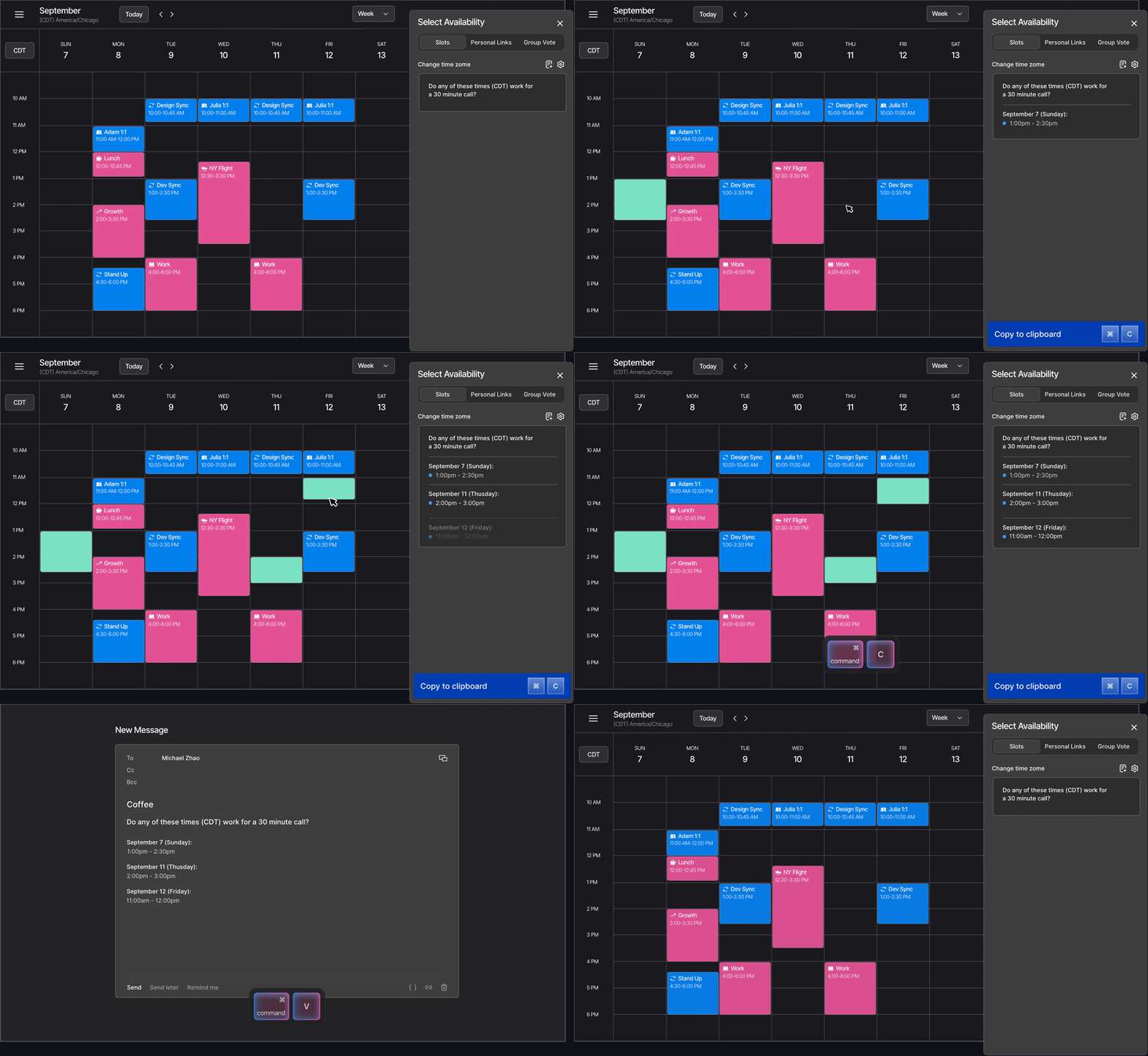
Vimcal’s Slots lets you share your availability without typing or sending a booking link. Drag across open times on your calendar that are ready to paste into any email, Slack or text message.
Works with Google Calendar and Outlook






Personal, without the typing
Different times for different people
Give your best hours to the meetings that matter most and other times to everyone else. A booking link shows everyone the same slots.
Make room for high-priority meetings
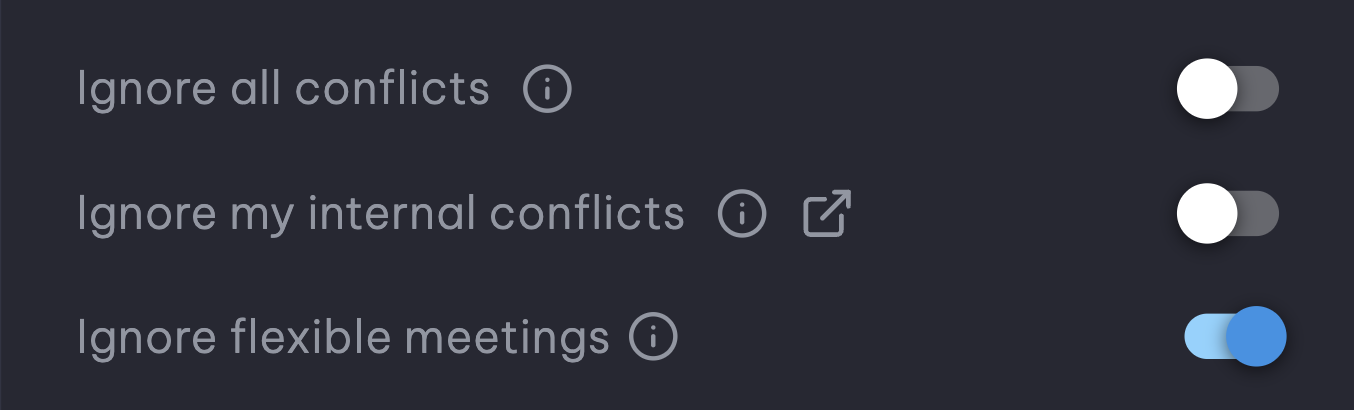
Ignore Conflicts lets you offer times you're willing to move. Ignore Internal Conflicts offers times over internal meetings, while external ones still block.
How it works
Sending times takes one drag and one paste.
01
Open Slots
Choose Slots from the Quick Actions menu in the side panel.
02
Drag across your open times
Vimcal writes them out as text while you drag, with the meeting length and an intro line you can customize.
03
Add their time zone
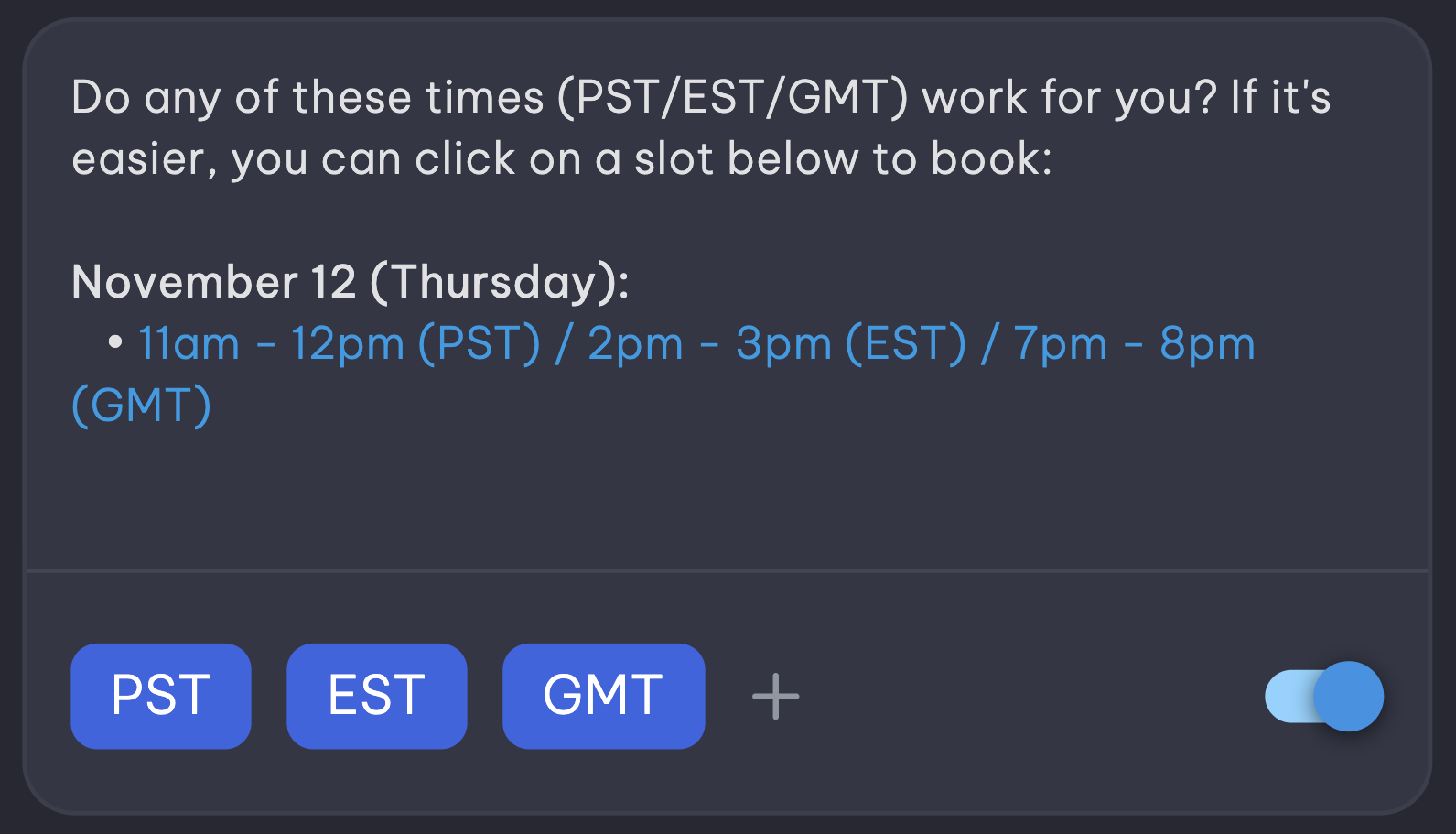
Press Z or click + to show the same times in other time zones.
04
Paste them anywhere
Send them as plain text, or with each time linked so they can book it in one click.
Who it's for
Founders
Reply to investor intros with a few specific times instead of a link that feels like a form.
Investors
Signal interest to founders you want to win with times picked for them.
Sales reps
Offer prospects times that read right in their time zone, inside the email thread you already have.
Executive assistants
EAs at Everest save 45+ minutes a day on sharing their execs' availabilities alone.
"I just got onboarded to Vimcal and I'm blown away. Easily the best calendar I've used. They've also solved the awkward calendly link handoff."

Alex MacCaw
Founder, Reflect & Clearbit
Frequently asked questions
What's the best tool for sharing availability without a booking link?
Vimcal's Slots. You drag across open times on your calendar and Vimcal writes them out as text in the other person's time zone, ready to paste into email, Slack, WhatsApp, LinkedIn or a text message. Nobody has to open a booking page. It works on desktop and in the free iPhone app.
Do the people I send times to need Vimcal or an account?
No. Plain text works in any message. If you send linked times, they can book one without an account.
Can people still book in one click?
Yes. Paste your times with each one linked, and clicking a time opens a booking page that shows only the times you offered, not your whole calendar like a typical booking link.
Why not just send a Calendly link?
A booking link shows everyone the same open times, and it can feel impersonal when you're the one asking for time. Specific times picked for one person read like a personal reply.
How is this different from Gmail's "Propose times" or Outlook's "Send availability"?
Those insert time slots into an email, and only inside that email app. Slots works with both Google Calendar and Outlook, and the text you copy can be pasted into any app.
Does Slots check all my calendars for conflicts?
Yes. Slots checks every Google Calendar and Outlook account you've connected.
Can I send times in someone else's time zone?
Yes. Press Z or click + below your Slots to add other time zones, and the times you copy are written out for each one.
Can I edit the intro text and format of my Slots message?
Yes. You can rewrite the intro sentence, change how the dates and times are written, set the meeting length, and choose whether your times are pasted as plain text or with each one linked so they can book it.