




Your job touches everything. Calendars, travel, expenses, contracts, team offsites, last-minute reschedules, and somehow keeping five executives happy at the same time.
The right tools won’t make the job less complex, but they will make you faster, more accurate, and a lot less reliant on workarounds that should have been replaced years ago.
Here are 10 tools EAs love in 2026, plus alternatives for each.
1. Asana
Best for task and project management
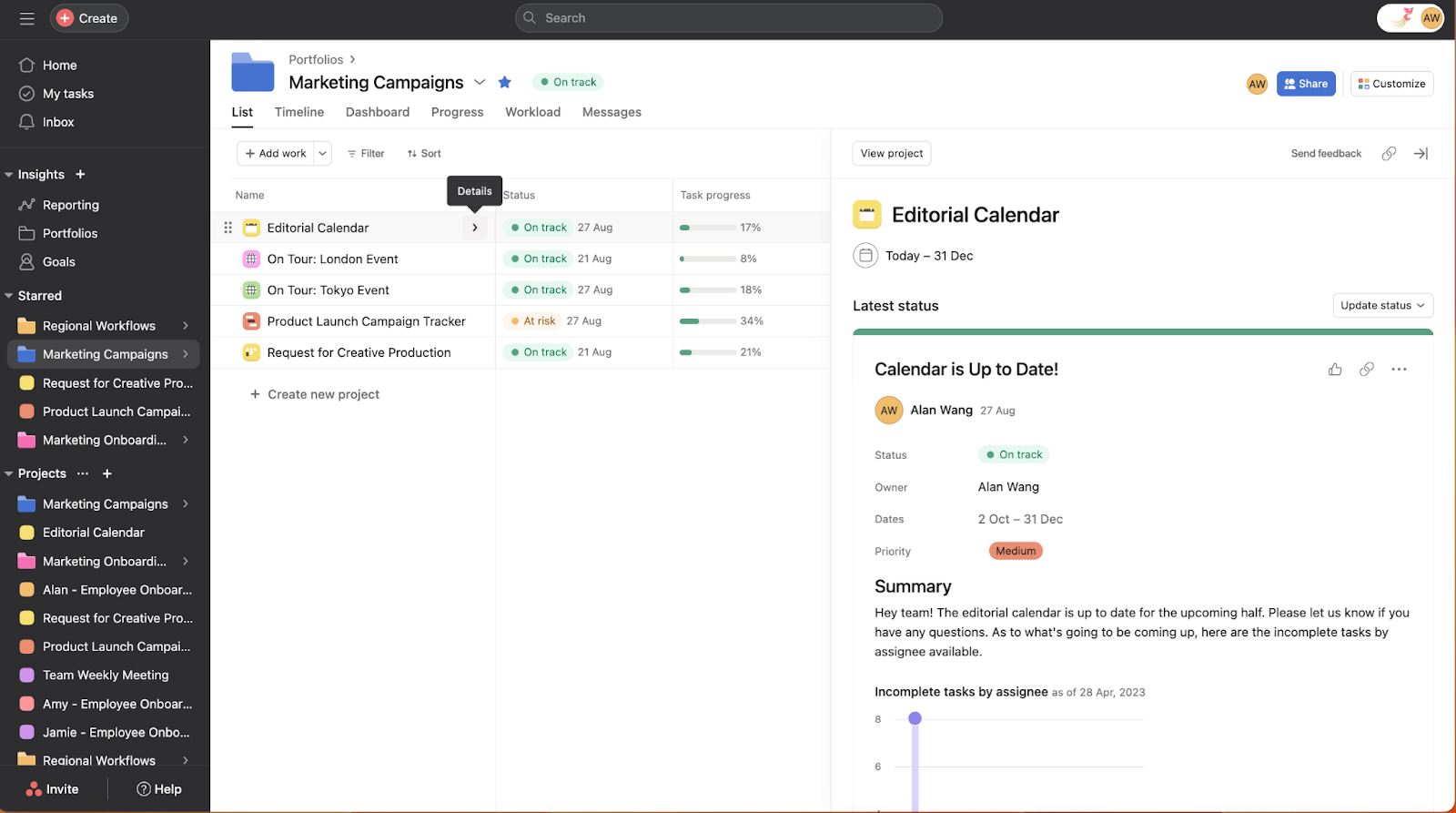
What is it: Asana is a project management tool that helps EAs track tasks, deadlines, and workflows across teams. You can manage everything from recurring to-dos to full-scale event planning in one place using lists, boards, timelines, or calendar views.
The only con about Asana is it can be too complicated at times. Its powerful capabilities also mean it has a slight learning curve.
Free trial: Free for two users. Paid plans have a 14 day free trial
Price: Paid plans begin at $13.49/month/user
Key features:
- Multiple views: Switch between list, board, timeline, and calendar views depending on how you like to work.
- Task dependencies: Link tasks so nothing moves forward until the previous step is done. It’s a lifesaver feature when you’re coordinating across multiple people or teams.
- Automations: Set up rules to auto-assign tasks, move projects forward, or send reminders without lifting a finger.
- Portfolios: See the status of multiple projects at a glance. Useful when you’re tracking several initiatives for your exec at once.
- Forms: Create intake forms so requests come in structured instead of scattered across Slack and email.
Alternatives: Monday.com, Trello, ClickUp, Notion
2. Navan
Best for corporate travel and expense management
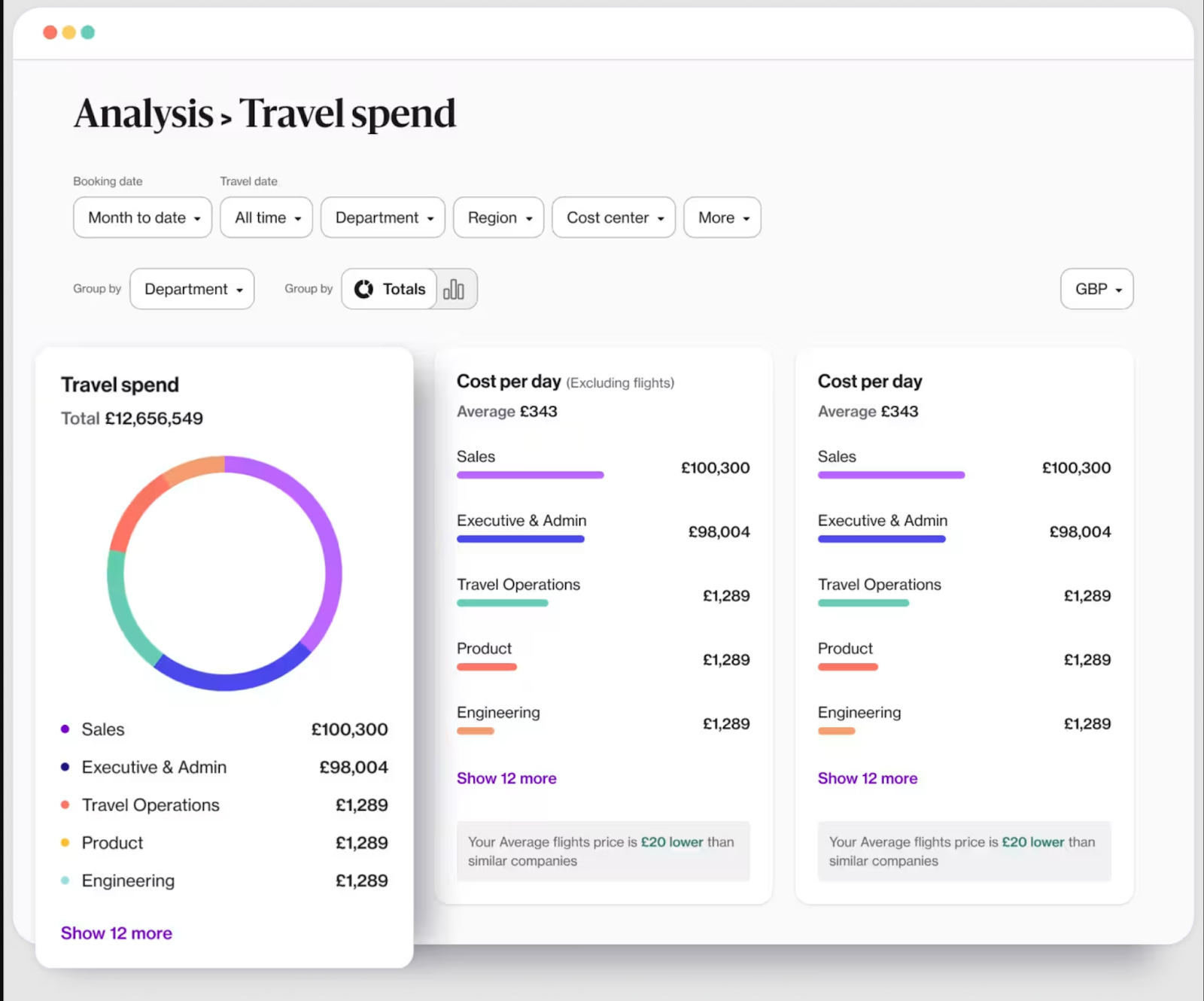
What is it: Navan is an all-in-one platform for booking flights, hotels, car rentals, and trains, with built-in expense tracking and corporate card support. Instead of juggling a travel agency, a spreadsheet, and an expense report, everything lives in one place.
Free trial: Free for companies up to 300 employees. Navan Expense is free for the first five monthly expensing users, and then it costs is $15/user/month
Price: Custom enterprise pricing
Key features:
- One-stop booking: Book flights, hotels, rental cars, and trains in a single itinerary instead of toggling between tabs and confirmation emails.
- Travel policy enforcement: Your company’s travel policy is built into the booking flow, so employees see what’s in and out of policy before they book.
- 24/7 travel support: Live agents available around the clock for flight changes, cancellations, or anything that goes sideways mid-trip.
- Automated expense tracking: Transactions from Navan corporate cards are captured and categorized automatically. Receipt scanning on mobile handles the rest.
- Navan Rewards: Employees earn rewards for booking cost-effective options, redeemable for personal travel or gift cards. A nice nudge toward budget-friendly choices.
Alternatives: SAP Concur, Expensify
3. Notion
Best for documentation and knowledge management
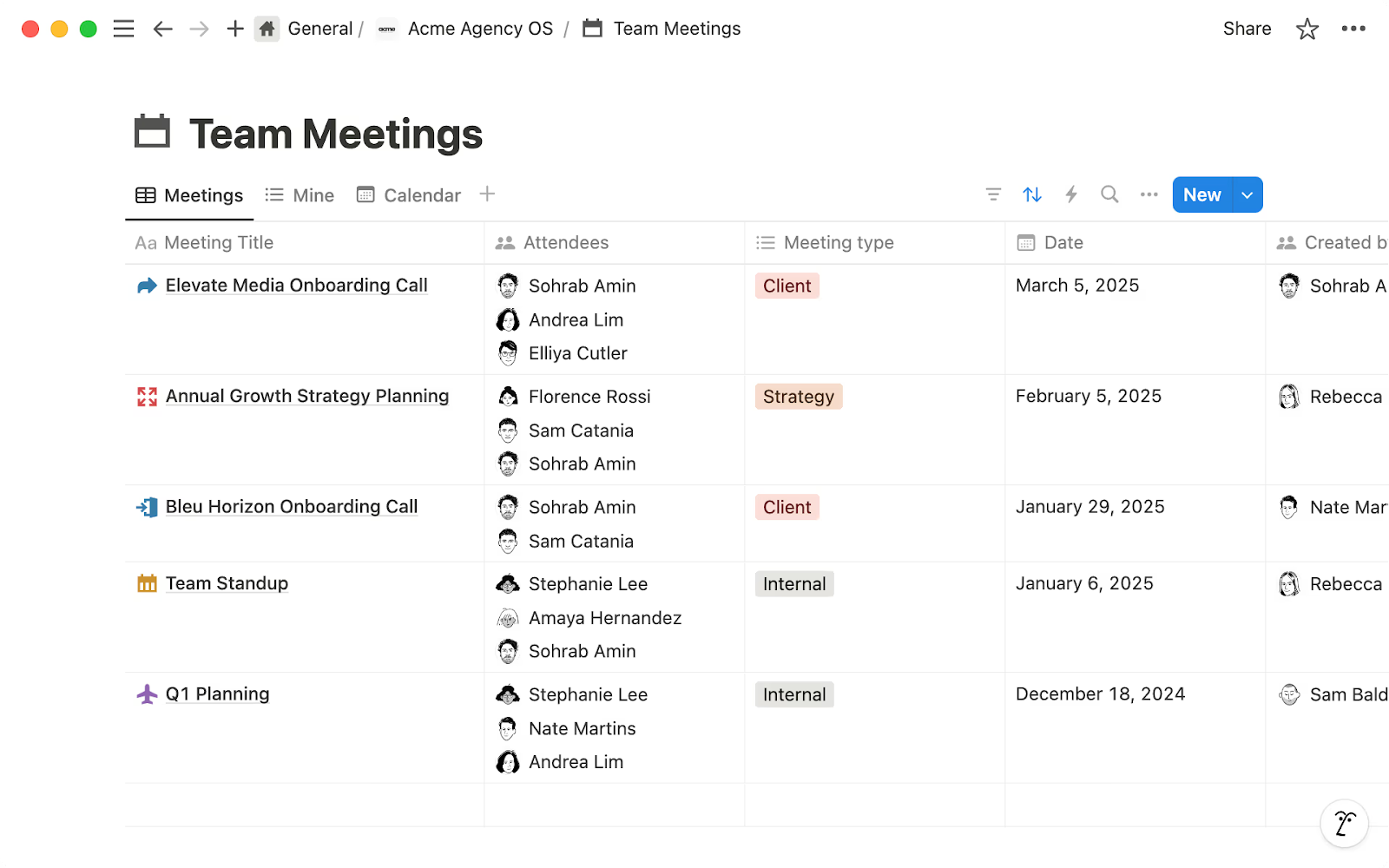
What is it: Notion is a flexible workspace where you can build wikis, track projects, take notes, and manage databases, all in one tool. EAs use it for everything from onboarding docs and SOPs to meeting notes and exec briefing templates.
Notion can do a lot, which is both its strength and its weakness. It’s incredibly customizable, but that also means you can spend hours setting up the perfect system.
Free trial: Free plan available for individuals. Paid plans have a 30 day free trial.
Price: Paid plans start at $12/user/month
Key features:
- Databases: Build custom tables for anything, from vendor lists and gift trackers to exec travel preferences. Filter, sort, and view them as tables, boards, calendars, or timelines.
- Templates: Notion contains hundreds of pre-built templates for meeting agendas, project trackers, team wikis, and more. You can also create your own and reuse them.
- Notion AI: Use AI to summarize meeting notes, draft content, autofill database properties, and ask questions across your entire workspace. This feature is included in Business and Enterprise plans.
- Team wikis: Create a centralized knowledge base so your team can find answers without pinging you every five minutes.
- Integrations: Connects with Slack, Google Drive, Zapier, and more, so it fits into your existing workflow.
Alternatives: Confluence, Coda, Slite
4. Grammarly
Best for writing and communication
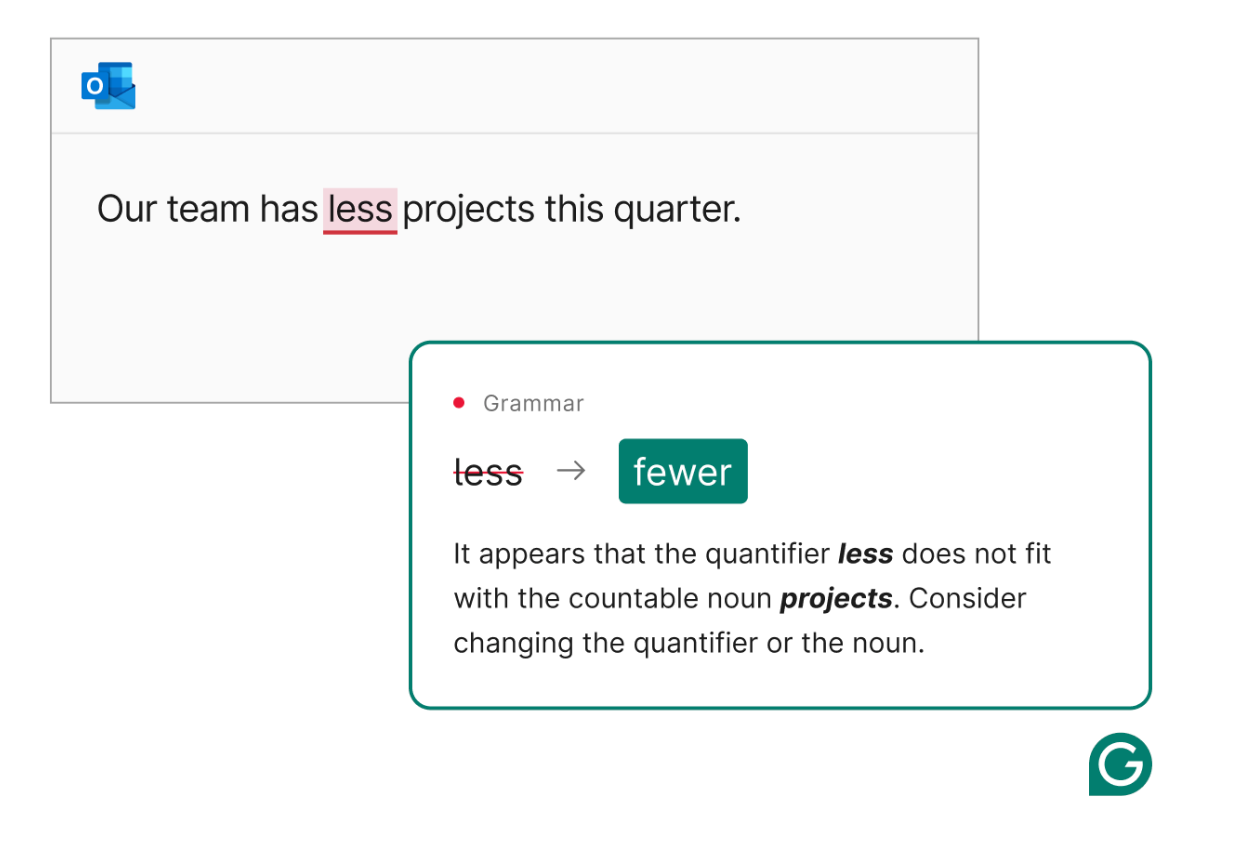
What is it: Grammarly is an AI writing assistant that checks grammar, spelling, tone, and clarity across virtually every app you type in, from Gmail and Slack to Google Docs and Outlook. It works in the background through a browser extension or desktop app.
You probably already use the free version. And honestly, the free version covers a lot. But if you write high-stakes emails for your exec on a daily basis, the Pro upgrade is worth considering for the tone and rewrite suggestions.
Free trial: Free plan available with basic features. The pro plan has a seven day free trial.
Price: Paid plans start at $12/month
Key features:
- Tone detection: See how your message will come across before you hit send. This is a helpful feature when you’re writing on behalf of your exec and need to match their voice.
- Full-sentence rewrites: Get alternative phrasing suggestions that make writing clearer and more concise.
- Works everywhere: Grammarly runs across 500,000+ apps and sites, including Gmail, Slack, Google Docs, Word, and LinkedIn.
- AI prompts: Generate drafts, brainstorm ideas, or rewrite paragraphs using AI prompts.
Alternatives: ProWritingAid, Wordtune
5. Dashlane
Best for password and credential management
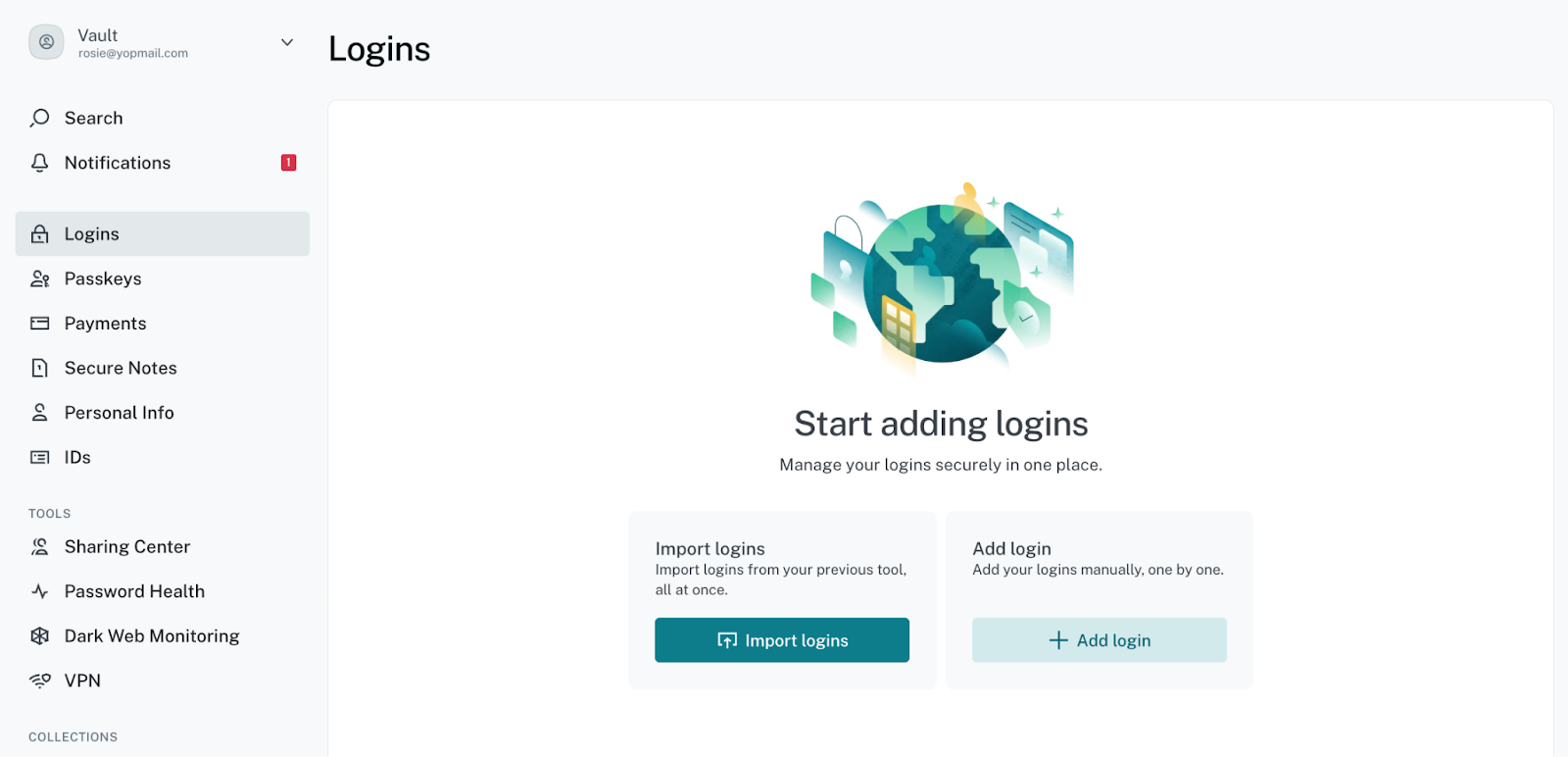
What is it: Dashlane is a password manager that stores, generates, and autofills login credentials across all your devices. It also includes dark web monitoring, secure sharing, and a built-in VPN on premium plans.
When you’re managing logins for your execs’ accounts, your own accounts, and a dozen shared team tools, “I'll just remember the password” doesn’t work. Dashlane keeps everything in one vault, so you’re not resetting passwords or setting weak ones every other week.
Free trial: Business plan has a 14 day free trial
Price: Paid plans start at $8/user/month, billed annually
Key features:
- Unlimited password storage: Save every login in one encrypted vault. Access it from any device and any browser.
- Autofill: Log in to sites and fill forms instantly without digging through spreadsheets or sticky notes.
- Secure sharing: Share credentials with your exec or team members without revealing the actual password. You can revoke these permissions anytime.
- Dark web monitoring: Get alerts if any of your saved credentials show up in a data breach, so you can act before it becomes a problem.
- Built-in VPN: Protect your connection on public Wi-Fi.
Alternatives: 1Password, LastPass
6. TeamOut
Best for corporate retreat and offsite planning
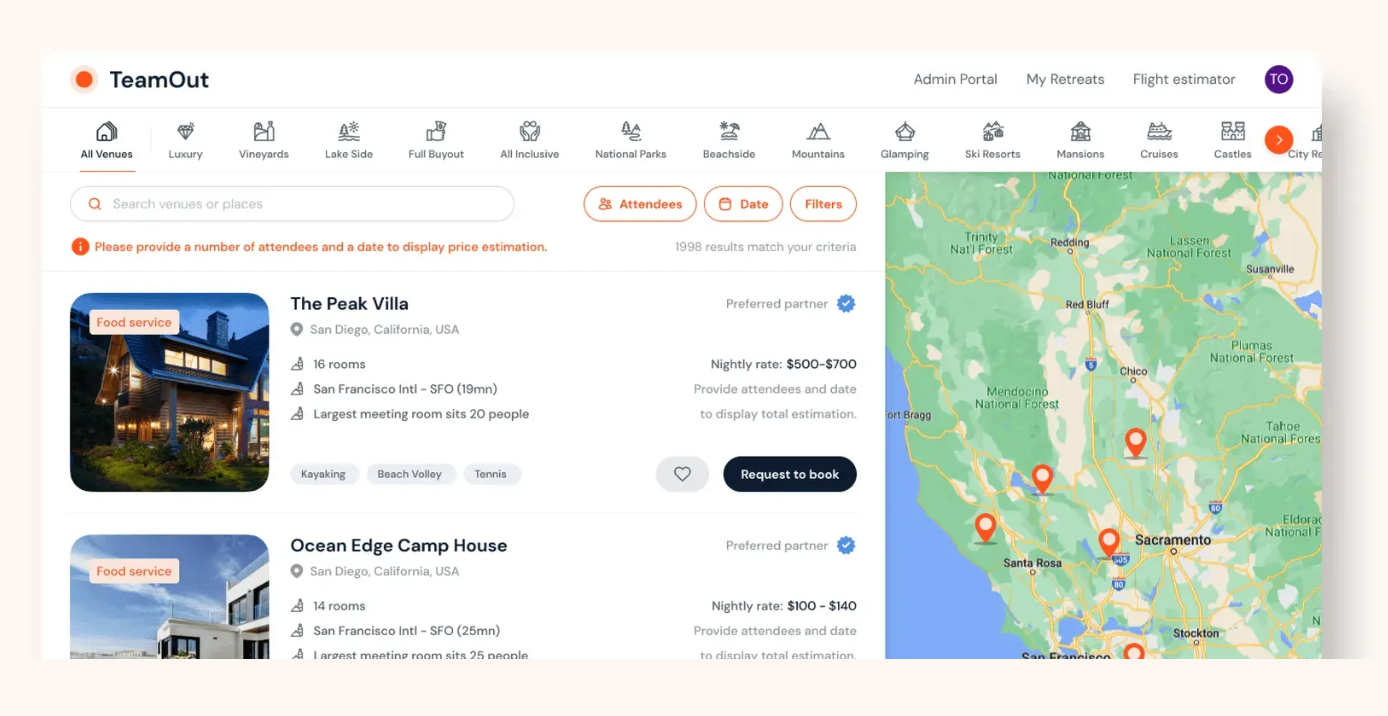
What is it: TeamOut is a platform that helps you plan team retreats and offsites from start to finish, from venue sourcing and vendor coordination to budgeting, itineraries, and on-site logistics. You browse curated venues, get quotes within 24 hours, and work with a dedicated retreat planner who handles the details.
Free trial: Free to browse venues and get quotes
Price: Retreat planning services are custom-priced
Key features:
- Venue sourcing: Browse thousands of curated retreat-friendly properties and get quotes directly on the platform.
- Dedicated retreat planner: A coordinator handles vendor logistics, negotiations, and day-of details so you can focus on the agenda rather than the catering contract.
- Budget management: Set budgets, track spending, and sync invoices with your accounting software in real time.
- Attendee dashboard: Communicate with attendees, collect preferences, and share itineraries all in one place.
- Activity and vendor coordination: Access vetted local vendors for team-building activities, transportation, catering, and swag.
Alternatives: Offsite, Retreat
7. Ramp
Best for corporate cards and spend management
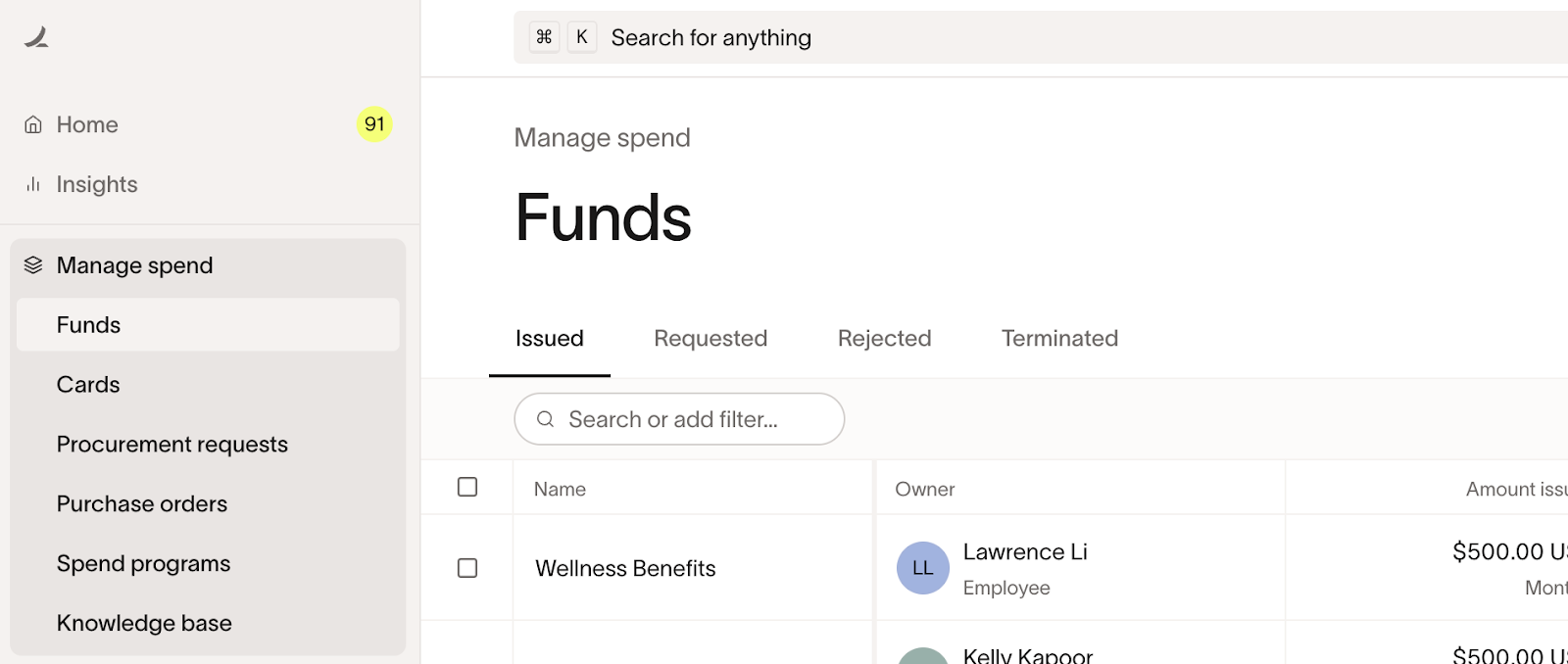
What is it: Ramp is a finance platform that combines corporate cards, expense management, bill pay, and accounting automation in one place. You can issue physical and virtual cards with custom spend limits, track expenses in real time, and automate most of the receipt chasing and reconciliation that makes month-end painful.
Free trial: There’s a free plan for smaller teams. Ramp Plus also has a 30 day free trial.
Price: Paid plans start at $15/user/month
Key features:
- Unlimited corporate cards: You can issue physical and virtual cards with custom spending limits per employee, vendor, or category.
- Automated expense management: Ramp captures and matches receipts to transactions automatically.
- Spend controls: Set restrictions by merchant, category, or dollar amount so out-of-policy purchases are blocked before they happen.
- Real-time visibility: See exactly where money is going as it’s being spent.
Alternatives: Brex, BILL Spend & Expense (Divvy), Airbase
8. Docusign
Best for electronic signatures and contract management
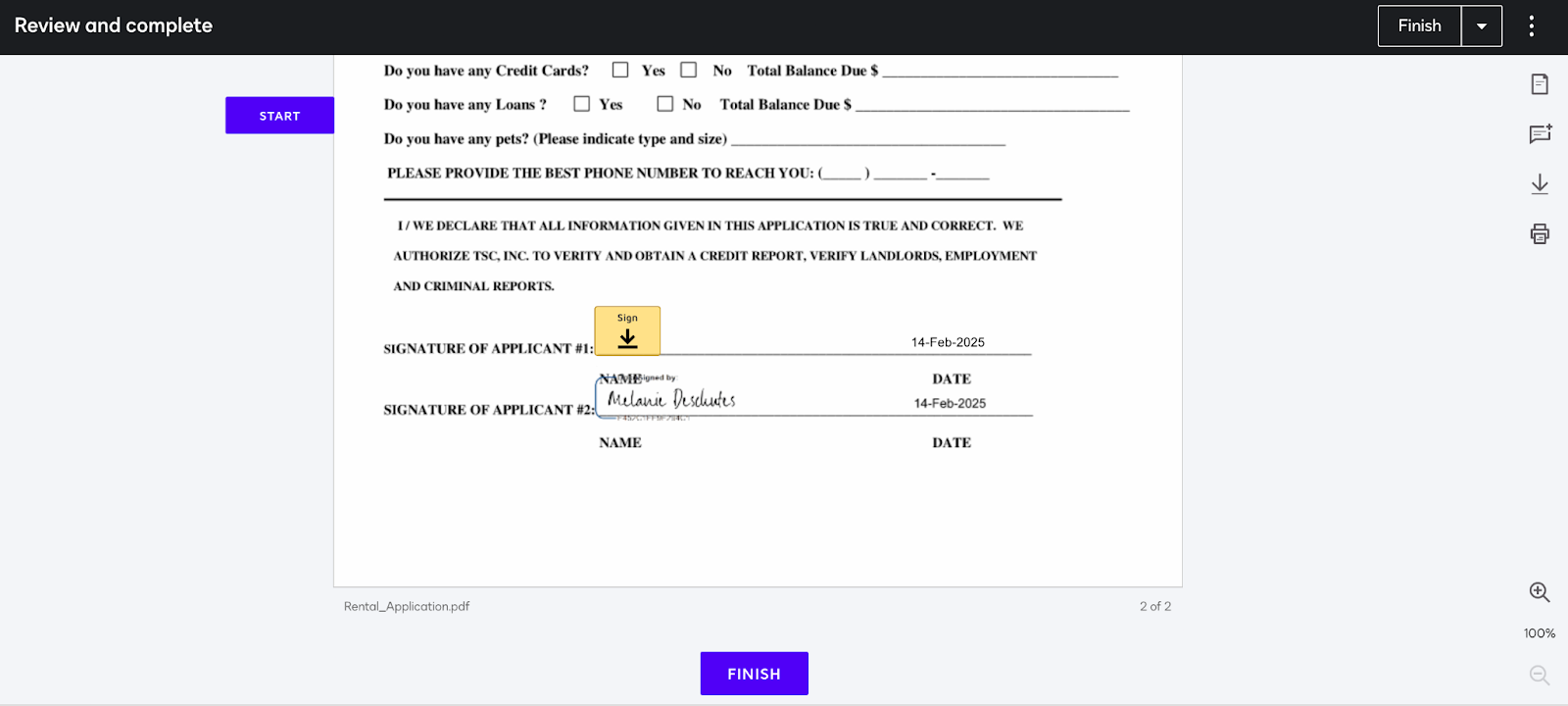
What is it: Docusign is the most widely used e-signature platform for sending, signing, and managing contracts and agreements digitally. All you have to do is upload a document, add signature fields, send it out, and track its status in real time.
It’s the industry standard for a reason: nearly everyone recognizes Docusign, which means less friction when you're sending contracts to external parties. The downside is that envelope limits on lower-tier plans can sneak up on you if you’re sending a high volume of documents.
Free trial: Free account available for signing only (not sending). Paid plans have a 30-day free trial.
Price: Paid plans begin at £12/month
Key features:
- E-signatures: Send documents for legally binding signatures from any device.
- Templates: You can save contracts, NDAs, and other recurring documents as reusable templates so you're not rebuilding them every time.
- Real-time tracking: See exactly where a document is in the signing process, who’s signed, and who’s holding things up.
- Integrations: Docusign works with Salesforce, Google Drive, Microsoft 365, Slack, and more, so documents fit into your existing workflow.
- Mobile app: Sign, send, and manage agreements from your phone. A mobile app is really useful when approvals need to happen fast and your exec isn’t at their desk.
Alternatives: HelloSign, Adobe Sign
9. Dorsia
Best for hard-to-get restaurant reservations

What is it: Dorsia is a members-only app that gives you access to reservations at the most in-demand restaurants in cities like New York, LA, Miami, London, Dubai, and more. Your preferences and payment info are saved, so every booking is seamless.
Free trial: No free trial. Membership is application-based.
Price: Each reservation requires a prepaid minimum spend per person, which varies by restaurant, day, and time.
Key features:
- Guaranteed reservations: Book tables at restaurants that are sold out everywhere else. Because the app has a pre-payment model, your table is locked in.
- Saved preferences: Your dining preferences, payment info, and profile are stored so restaurants know who’s coming, aka better service from the moment your exec walks in.
- Same-day availability: Many restaurants offer same-day or next-day tables through Dorsia that aren’t available on Resy or OpenTable.
- Concierge-level service: The app handles the details so you’re not calling restaurants, negotiating times, or managing waitlists.
- Global coverage: Dorsia is currently available in NYC, the Hamptons, LA, San Francisco, Miami, London, Dubai, the South of France, with more cities coming.
Alternatives: Resy, OpenTable, Seated
10. Vimcal EA
Best for scheduling and calendar management
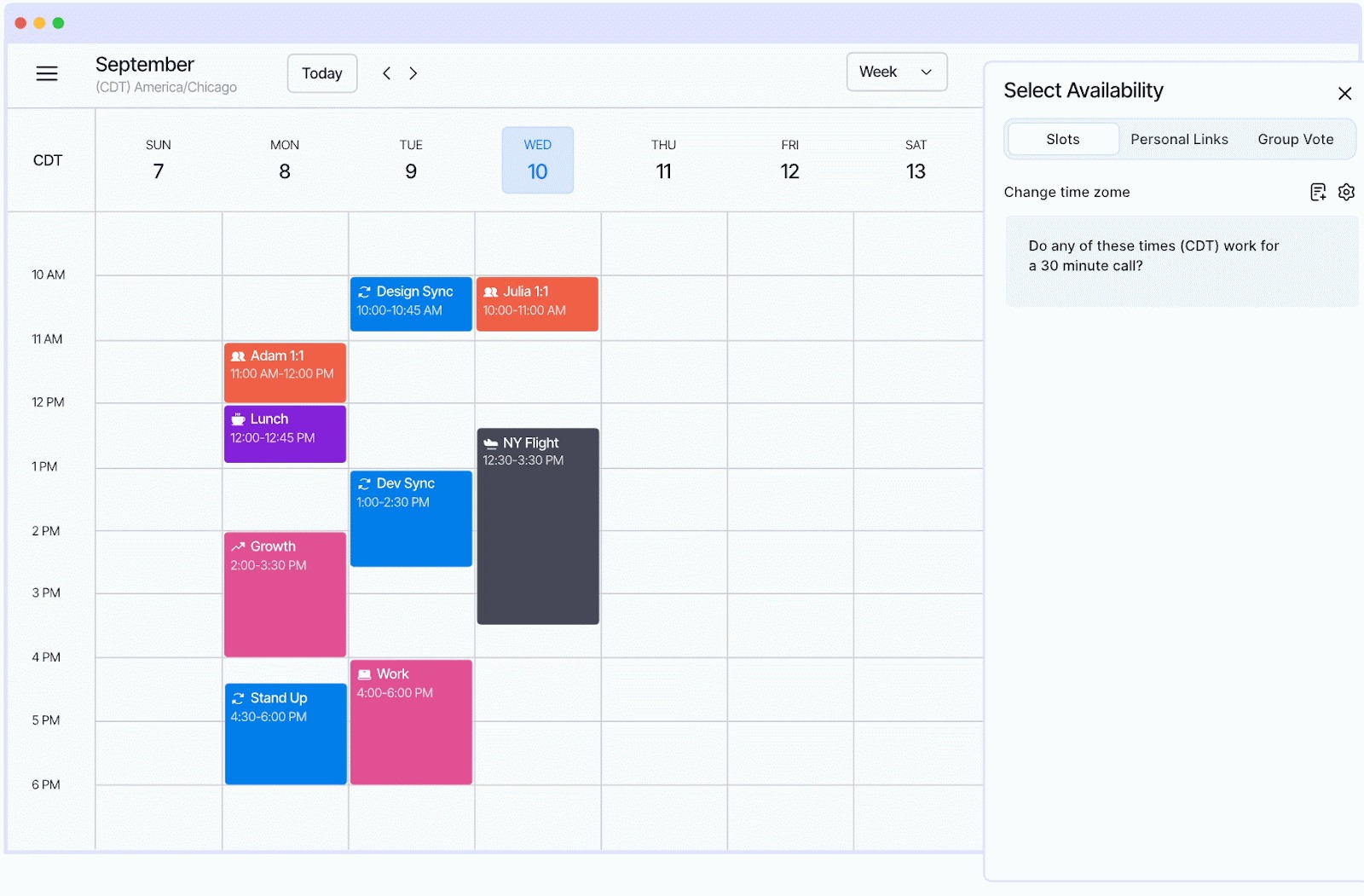
What is it: Vimcal EA is a calendar built specifically for executive assistants. It layers on top of your existing Google Calendar or Outlook setup, so there’s no switching required. It’s designed for the way EAs actually work: managing multiple calendars, coordinating across time zones, proposing availability, and handling constant reschedules.
Now, of course, we’re a little biased (we built this tool!), but we also talked to thousands of EAs over four years to build Vimcal, and nearly every feature started as a direct request from an executive assistant. We genuinely believe it’s the best calendar tool for EAs, and we’re not the only ones.
Free trial: 14 days with 1:1 onboarding
Price: $62.50/month (billed annually) or $75/month
Key features:
- Slots: Drag available times on your calendar, and Vimcal formats them instantly for you to copy and paste into an email. Holds are created automatically and deleted when a meeting is booked. What used to take 77 clicks takes 8.
- Time Travel: See overlapping working hours across up to 5 time zones at once. No more Googling “PST to London” or doing mental math.
- Calendar Audits: Automatically categorize and analyze your exec’s meetings, then export a report in minutes. EAs used to build spreadsheets by hand to do this.
- Executive Profiles: Set custom time zones, preferences, and working hours for each exec you support. No opt-in needed from them.
- Meet With: Pull up multiple people's calendars side by side to find common availability fast.
- Group Spreadsheets: Skip the email chains. Send a poll, let attendees vote, and book the time that works for everyone in a jiffy.
Build your tech stack
The best tech stack is the one that actually saves you time.
Start with the category that eats up most of your day, whether that’s scheduling, travel, expenses, or something else, and try one tool from this list.
Most tools offer free trials or free plans, so there’s no reason not to test before you commit.