




AI is showing up everywhere in the EA workflow, from drafting emails and summarizing meetings to building presentations and automating repetitive tasks. In our recent survey of 600 EAs, 86% said they believe AI will enhance their role, not replace it. That’s what this list is about: the AI tools that are actually making a difference.
This list covers 10 AI-powered tools EAs are reaching for in 2026, from standalone AI assistants to everyday software that’s gotten a lot smarter thanks to artificial intelligence. Each one includes alternatives so you can find the right fit for your workflow.
1. ChatGPT
Best for drafting, researching, and brainstorming on the fly
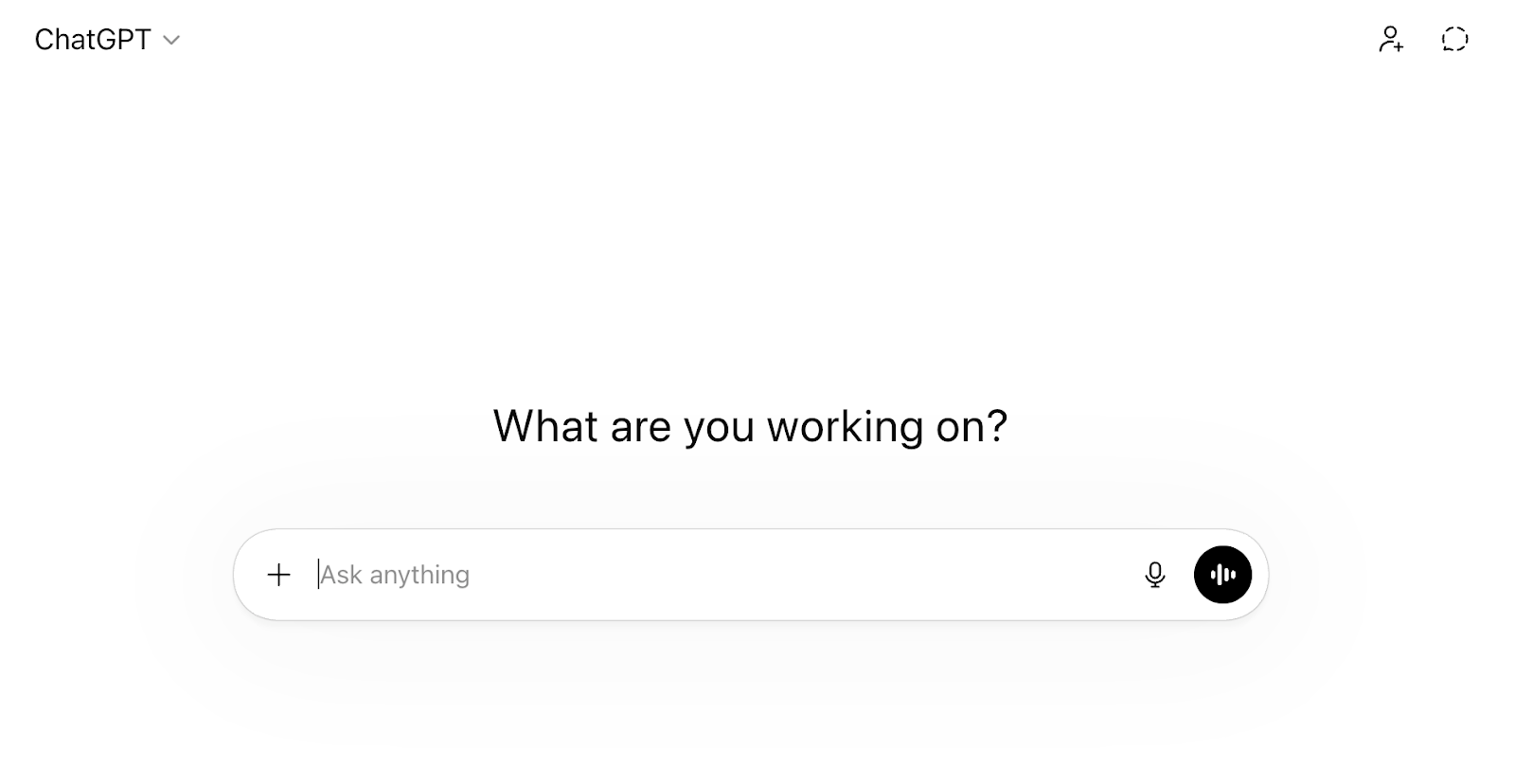
What is it: ChatGPT is an AI chatbot that can draft emails, summarize documents, brainstorm ideas, write content, analyze data, and answer questions in plain language. It’s the most widely used AI tool among EAs by a significant margin (used by 70% EAs we surveyed), and for good reason: it handles a wide range of tasks without needing specialized setup.
You’ve probably already tried ChatGPT for something. The EAs getting the most out of it are the ones who use it for the tedious stuff: rewriting a tricky email, pulling together a briefing doc, or turning messy notes into a clean agenda. It won’t replace your judgment, but it will save you 20 minutes here and there, and that adds up.
Free trial: Free plan available with access to GPT-4o mini
Price: Paid plans start at $8/month
Key features:
- Drafting and rewriting: Write emails, agendas, briefs, and talking points from scratch, or paste in a rough draft and let ChatGPT clean it up.
- Document analysis: Upload PDFs, spreadsheets, or images and ask questions about the content. ChatGPT is very helpful for pulling key points from long reports before an exec meeting.
- Custom GPTs: Build or use pre-made GPTs tailored to specific tasks, like a meeting prep assistant or a travel research bot.
- Web browsing: Search the web in real time for current information, news, or research without leaving the chat.
- Deep Research: Give it a complex question and it will spend time pulling together a thorough, sourced answer. It’s great for exec briefings or competitive research.
Alternatives: Claude, Gemini, Perplexity
2. Otter
Best for never missing what was said in a meeting
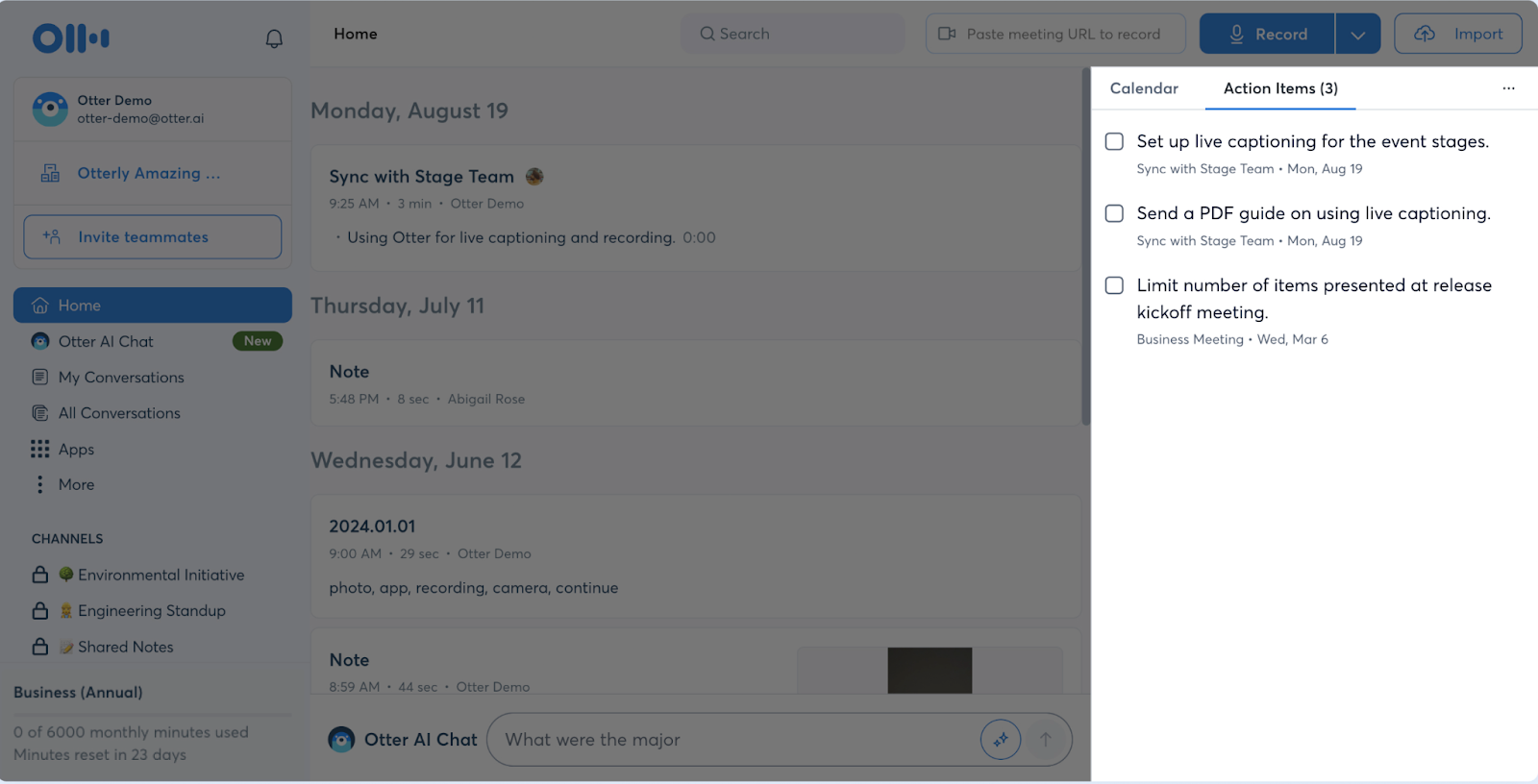
What is it: Otter is an AI meeting assistant that joins your Zoom, Google Meet, or Microsoft Teams calls to transcribe conversations in real time, generate summaries, and pull out action items automatically. It can even join meetings you can’t attend and send you the notes afterward.
If you support multiple execs, you’re probably double-booked more often than you’d like. Otter lets you be in two places at once. It joins the meeting you can’t be present in, captures everything, and gives you a searchable summary with action items by the time you’re free.
Free trial: Free plan available with 300 minutes/month
Price: Paid plans start at $16.99/month
Key features:
- Real-time transcription: Otter provides live captions and transcription during any meeting, with speaker identification so you know who said what.
- Automated summaries and action items: After every meeting, Otter generates a summary with key decisions and next steps.
- Otter AI Chat: Ask questions about past meetings and get instant answers. You can easily find what your exec committed to in last Tuesday’s call.
- OtterPilot: Schedule the AI assistant to automatically join all your meetings, so notes are captured even when you’re not able to join a meeting.
- File transcription: Upload audio or video files and get them transcribed. It’s useful for recorded interviews, voicemails, or anything you need in text form.
Alternatives: Fireflies, tl;dv, Fathom
3. Beautiful AI
Best for building exec-ready decks fast
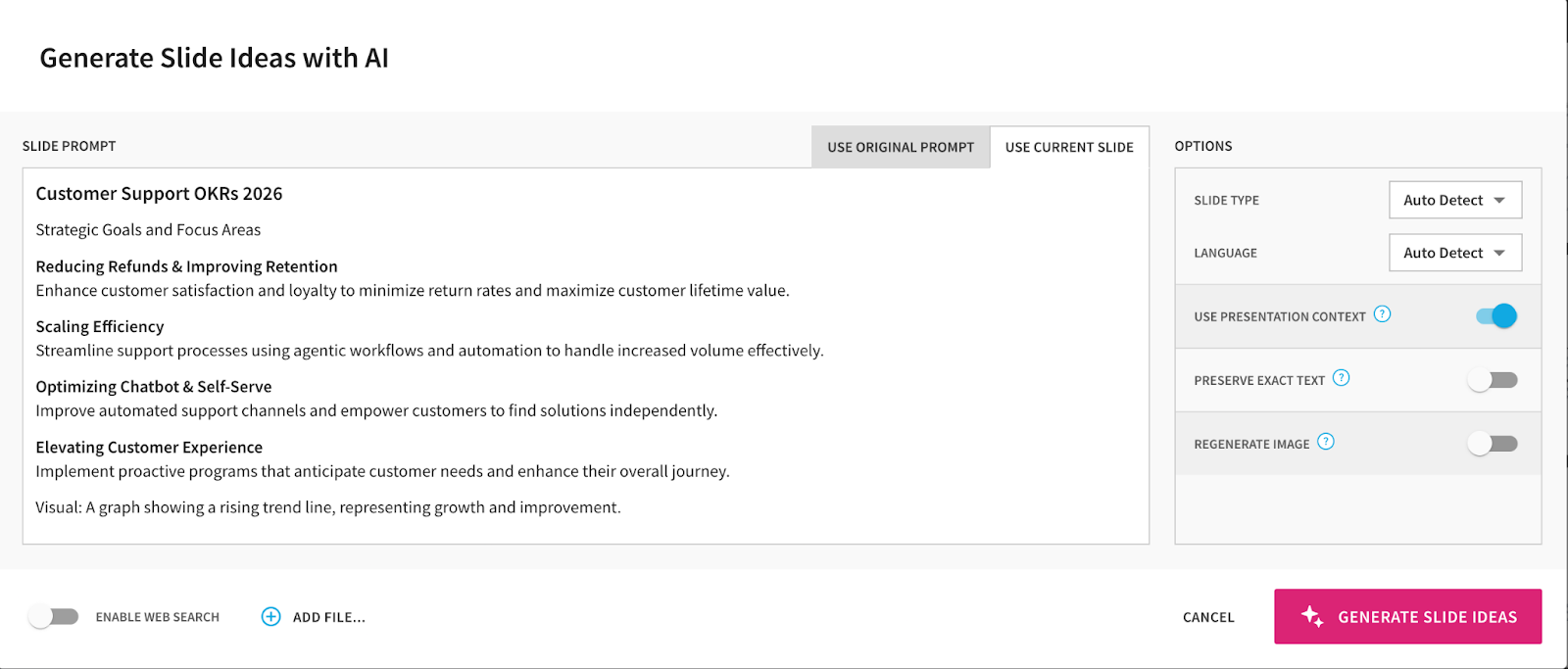
What is it: Beautiful AI is a presentation tool that uses AI to handle the design so you can focus on the content. You add text, data, or images, and the slides automatically adjust layouts, fonts, spacing, and alignment in real time. It also generates full deck drafts from a simple prompt.
If you’ve ever spent two hours trying to make a PowerPoint look decent for a board meeting, this will feel like a revelation. Beautiful AI cuts the design and editing time by a lot and gives you hours back in your day. The tradeoff is that customization has limits, so it’s better for clean, professional decks than highly bespoke designs.
Free trial: Free trial available for 14 days
Price: Plans start at $12/month (billed annually)
Key features:
- Smart Slides: Beautiful AI contains over 70 intelligent slide templates that auto-adjust as you add content. You don’t have to drag text boxes around or fight with alignment.
- AI deck generation: Describe your topic and Beautiful AI generates a full presentation draft with structure, copy, and visuals. Edit from there instead of starting from scratch.
- Brand themes: Set your company’s colors, fonts, logos, and design rules once. Every deck stays on brand automatically.
- PowerPoint export: Export to .pptx or PDF without losing your layouts, so you can share with anyone regardless of what tools they use.
- Viewer analytics: See who opened your deck, which slides they spent time on, and how far they got. This is useful for tracking whether that proposal actually got read.
Alternatives: Plus, Visme, Pitch
4. Guidde
Best for creating how-to videos and process docs without editing skills
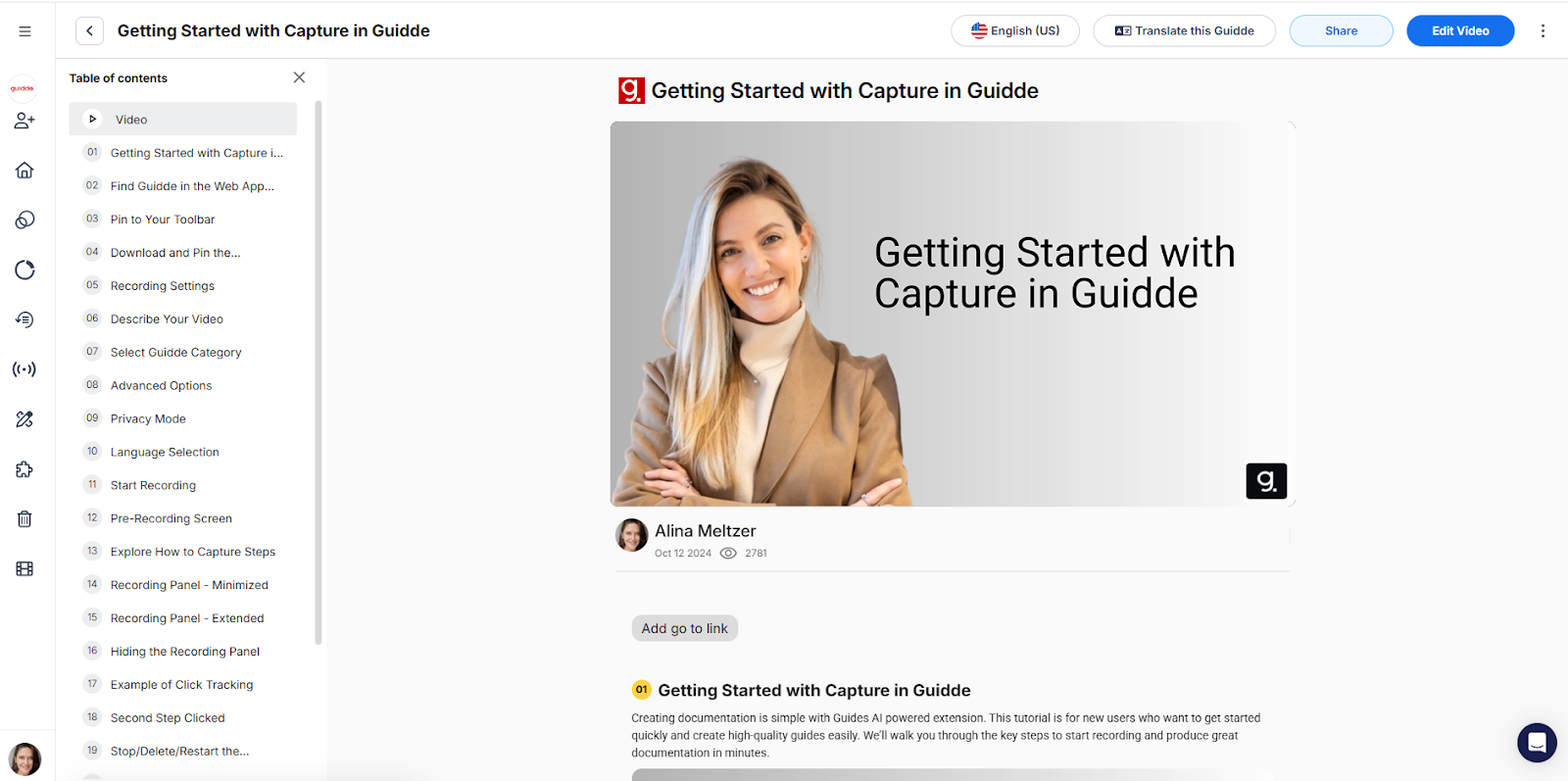
What is it: Guidde is an AI tool that turns screen recordings into polished, step-by-step video guides in seconds. Record your workflow through the browser extension or desktop app, and Guidde automatically generates a structured walkthrough with highlights, captions, and an AI voiceover in your choice of 100+ languages and voices.
If you’re the person everyone asks "how do I do this?", Guidde pays for itself fast. Instead of hopping on a call or writing a 15-step email with screenshots, you record the process once and share a professional video guide. You can onboard a new team member, train someone on an internal tool, and document a recurring workflow in minutes.
Free trial: Free plan available for up to 25 videos
Price: Paid plans begin at $29/user/month
Key features:
- AI-generated guides: Record your screen and Guidde turns it into a structured, narrated video with steps, callouts, and highlights automatically applied.
- AI voiceovers: Choose from 200+ voices across 100+ languages. You don’t need to record your own narration or edit audio.
- Magic Mic: Speak naturally while recording and Guidde transcribes, cleans up, and converts your speech into a polished AI voiceover.
- Export flexibility: Share as a video link, or export to MP4, GIF, PowerPoint, or PDF, depending on how your audience prefers to consume it.
- Blur sensitive info: You can blur confidential data in your recordings before sharing, which is important when documenting workflows that involve personal or financial information.
Alternatives: Scribe, Loom, Tango
5. Beeper
Best for managing all your messages in one place
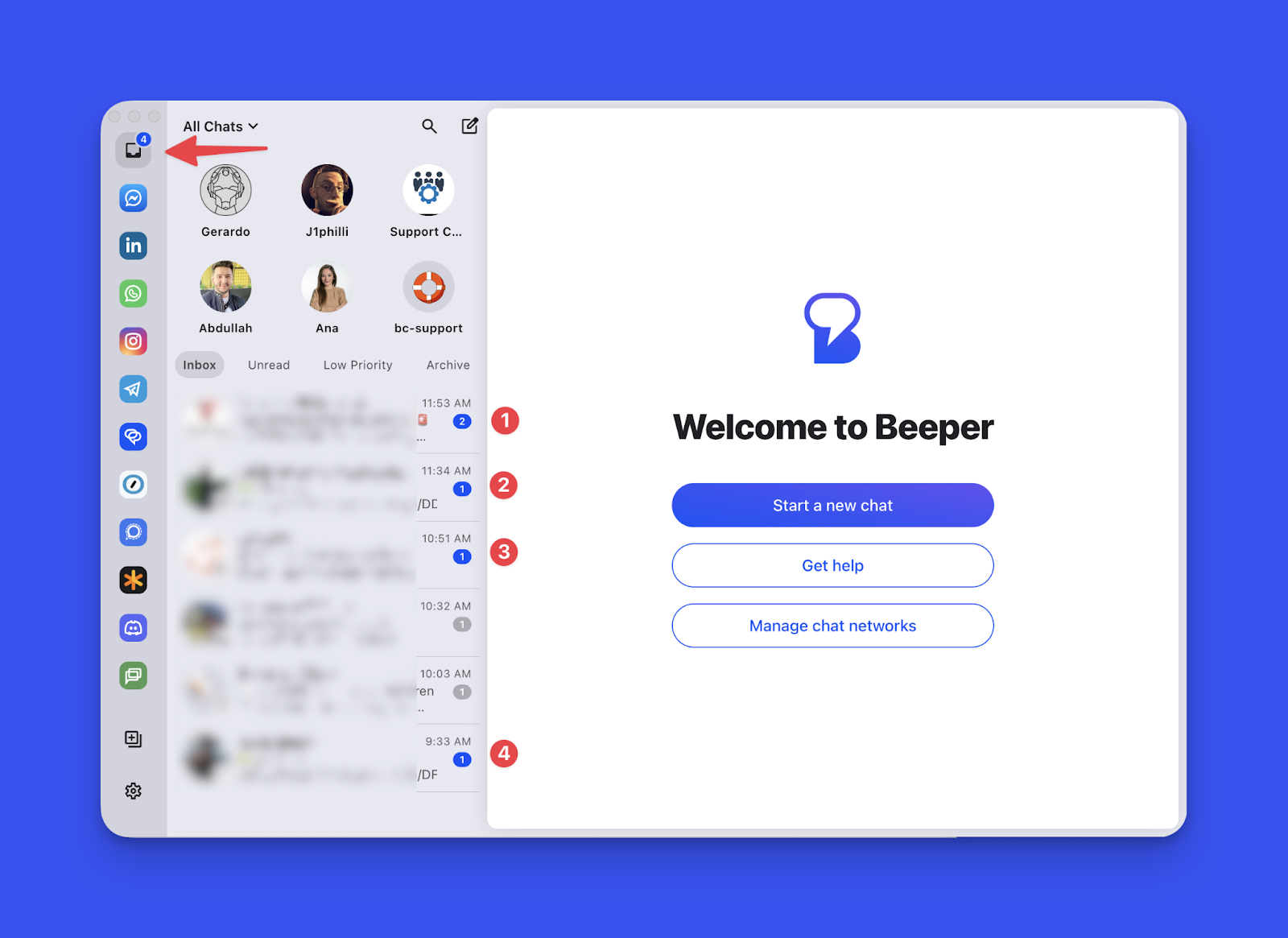
What is it: Beeper is a unified messaging app that pulls WhatsApp, Slack, Instagram, Telegram, Signal, LinkedIn, Discord, Google Chat, and more into a single inbox. Instead of switching between eight apps to stay on top of messages, you can read and reply to everything from one window.
If your day involves fielding messages from your exec on Slack, coordinating with a vendor on WhatsApp, and replying to a LinkedIn DM for your CEO, you know how much context-switching costs you. Beeper collapses all of that into one app with cross-network search, reminders, and the ability to schedule messages to send later.
Free trial: Free plan available with up to 5 connected networks
Price: Paid plans start at $9.99/month
Key features:
- Unified inbox: See every message from every connected app in one feed. You can also search across all networks at once.
- Send Later: Schedule messages to go out at a specific time. This is especially useful when you’re working across time zones or want to batch your replies.
- AI voice note transcription: Receive a voice note on WhatsApp or Telegram and get an automatic text transcription, powered by OpenAI’s Whisper model.
- Incognito mode: Read messages without marking them as read, so you can respond at your own pace.
- Reminders: Set a reminder on any message to follow up later. It pops back into your inbox at the time you choose.
Alternatives: Franz
6. Side Space
Best for taming browser tab chaos
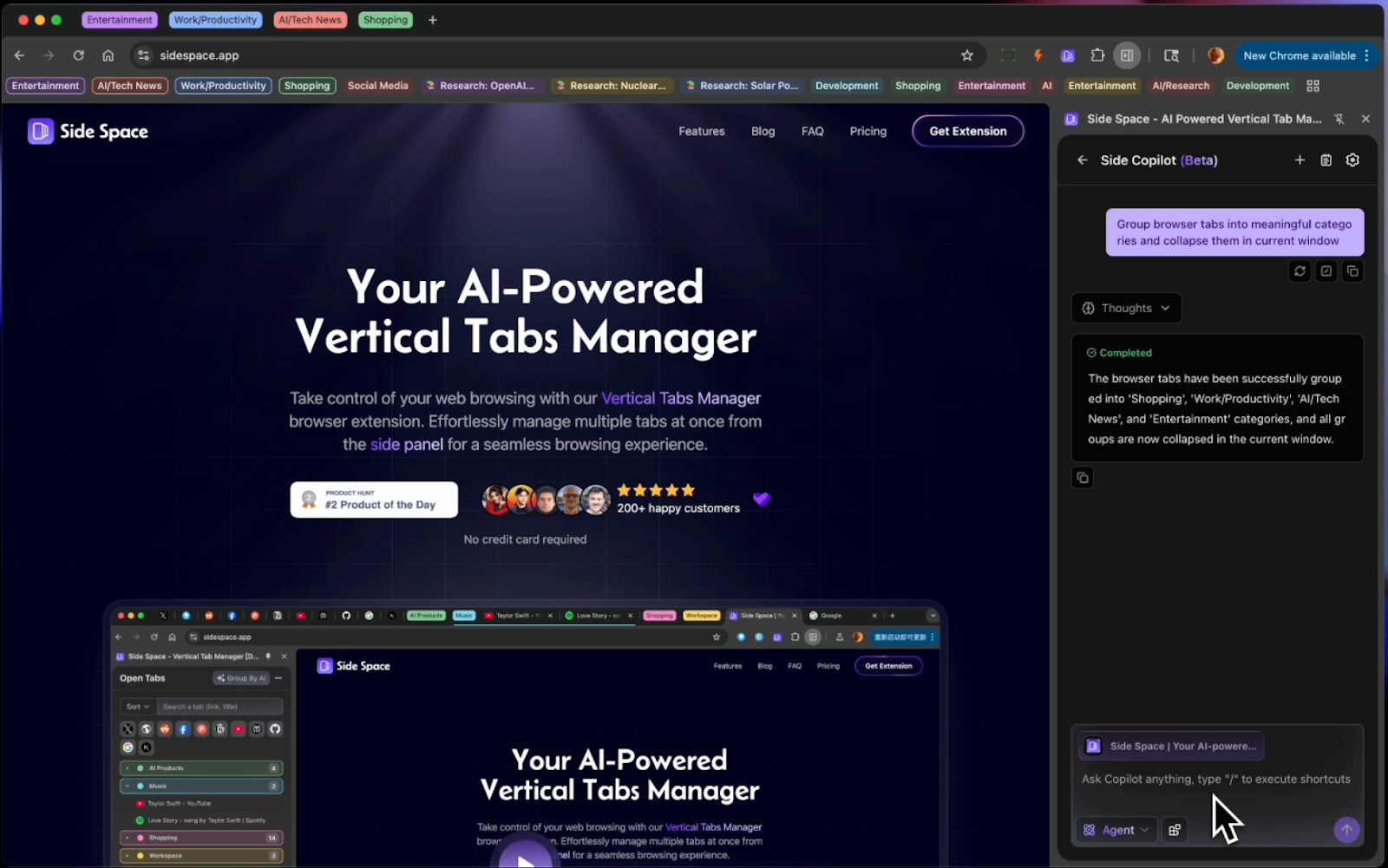
What is it: Side Space is a Chrome extension that moves your tabs into a vertical side panel and uses AI to automatically group them by topic or project. You’ve got your exec’s inbox in one tab, a flight search in another, a shared doc in a third, and 15 more you opened for research and forgot about. Sidespace’s AI grouping sorts all of that into labeled clusters with one click, so you can actually find what you need.
Free trial: Free plan available for up to five spaces
Price: Paid plans begin at $2.90/month
Key features:
- AI tab grouping: Click once and Side Space clusters your open tabs into labeled groups based on their content.
- Vertical tab panel: Tabs stack vertically in a side panel instead of cramming into the top bar. This layout is much easier to scan when you have dozens of tabs open.
- Spaces: Save groups of tabs as workspaces you can close and reopen later. This feature is useful when you’re working on multiple projects and need to context-switch cleanly.
- Tab suspension: Suspend tabs you’re not actively using to free up memory. This way, your browser stays fast even with a lot of tabs saved.
- AI chat: Ask questions about content across your open tabs. You can pull together information from multiple pages without switching back and forth.
Alternatives: Workona, Toby
7. Superhuman
Best for email management
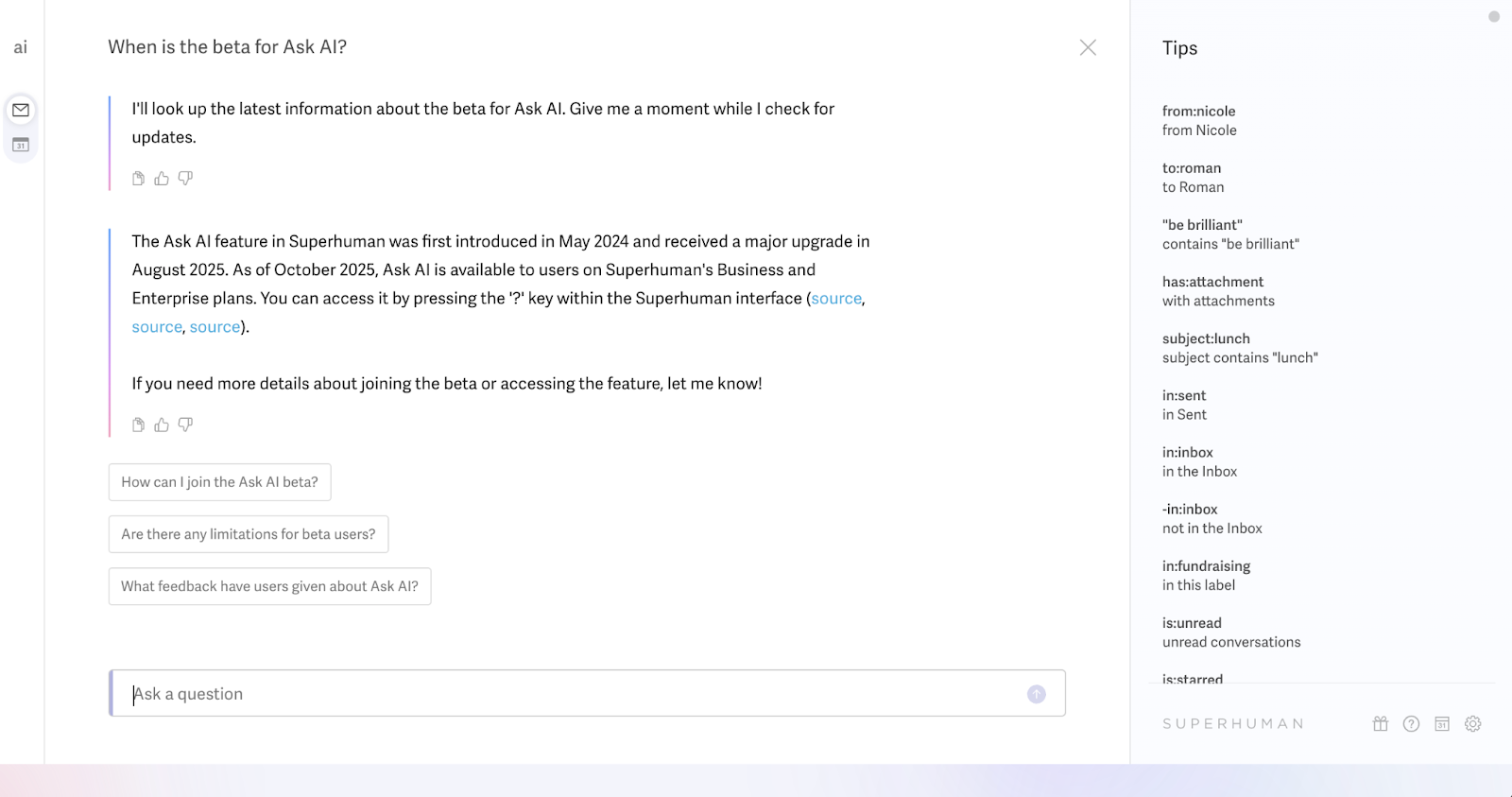
What is it: Superhuman is a premium email client for Gmail and Outlook that’s built around speed, keyboard shortcuts, and AI. Every action is designed to happen in under 100 milliseconds. AI features include auto-summarized threads, auto-drafted replies in your writing style, and automatic email labeling.
Superhuman is expensive. At $40/month, it’s hard to justify buying it if you get 20 emails a day. But if you’re managing multiple exec inboxes and processing hundreds of messages daily, the speed gains will be worth the ROI. EAs who use it tend to pair it with Vimcal EA for a calendar-plus-email power stack.
Free trial: Free plan available, but not for Superhuman mail
Price: Plans including mail start at $40/user/month
Key features:
- Auto summarize: Every email thread has a one-line summary at the top that updates as new replies come in. You can grasp the gist without reading the full chain.
- Write with AI: You can turn rough ideas into polished emails in seconds. The AI learns your writing style from your sent emails, so replies sound like you, not a robot.
- Auto drafts: On the Business plan, Superhuman automatically writes follow-up drafts for emails that need a response. They appear ready to review and send.
- Split inbox: Superhuman automatically sorts incoming email into categories like “needs response,” “waiting on,” “newsletters,” and “cold pitches” so you can categorize your emails and prioritize the ones that need immediate response.
- Keyboard-first design: Superhuman has over 100 shortcuts for every action. Once you learn them, you don’t have to touch the mouse for every little task, allowing you to fly through emails.
Alternatives: Spark, Shortwave, Canary Mail
8. Canva
Best for creating quick, professional visuals without a designer
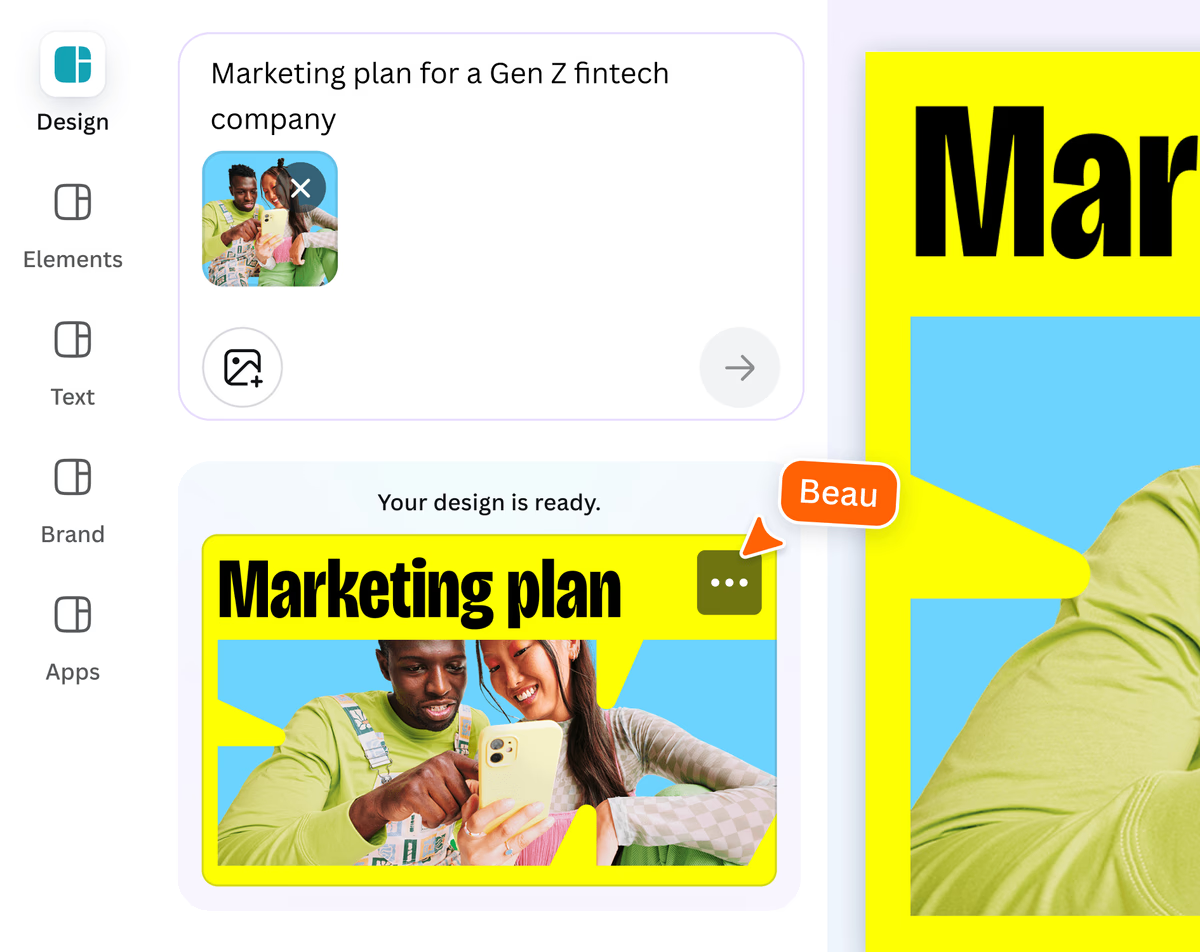
What is it: Canva is a design platform with AI tools built in for creating social media graphics, presentations, event flyers, one-pagers, and just about any visual asset you can think of. You don’t need design skills. Pick a template, customize it, and let AI handle things like background removal, image generation, layout suggestions, and copywriting.
Most EAs end up being the unofficial designer for their team at some point. Whether it’s a quick slide for an all-hands, a birthday card for a departing teammate, or a branded one-pager for a client meeting, Canva makes it possible to produce something polished in minutes without opening Photoshop or bugging the design team.
Free trial: Free plan available with limited AI features
Price: Paid plans start at $15/user/month
Key features:
- Magic design: Describe what you need and Canva generates a full design with layout, images, and copy.
- Magic write: Canva does AI text generation for captions, headlines, social posts, or any short-form copy you need inside a design.
- Background remover: You can remove the background from any photo in one click.
- Magic eraser: Remove unwanted objects or people from images without affecting the rest of the photo.
- Brand kit: Save your company’s colors, fonts, and logos so every design stays on brand without manual setup each time.
Alternatives: Adobe Express, Figma, Piktochart
9. Zapier
Best for automating repetitive tasks between apps
What is it: Zapier is a no-code automation platform that connects over 7,000 apps so they can talk to each other without you doing the manual work. You create “zaps,” which are automated workflows triggered by an event in one app that causes an action in another.
Think about the small tasks you do over and over: copying form responses into a spreadsheet, sending a Slack message when a calendar event is created, forwarding specific emails to your exec’s Notion page. Zapier handles all of that in the background. The free plan is limited, but even one or two well-built Zaps can save you hours every week.
Free trial: Free plan available for two-step zaps
Price: Paid plans start at $29.99/month
Key features:
- Multi-step zaps: You can chain multiple actions from a single trigger. For example, a new calendar event triggers a Slack message, adds a row to a spreadsheet, and sends a confirmation email.
- 7,000+ app integrations: Zapier connects with virtually every tool you already use, from Gmail and Slack to Salesforce, Asana, Google Sheets, and Notion.
- Zapier copilot: Zapier copilot is an AI assistant that helps you build zaps, generate code steps, map data fields, and troubleshoot errors using plain language.
- Filters and paths: Add conditional logic to your automations so they only run when specific criteria are met. This is useful for routing tasks based on urgency, sender, or content.
Alternatives: Make, n8n, Pabbly Connect
10. Vimcal EA
Best for smarter, faster scheduling
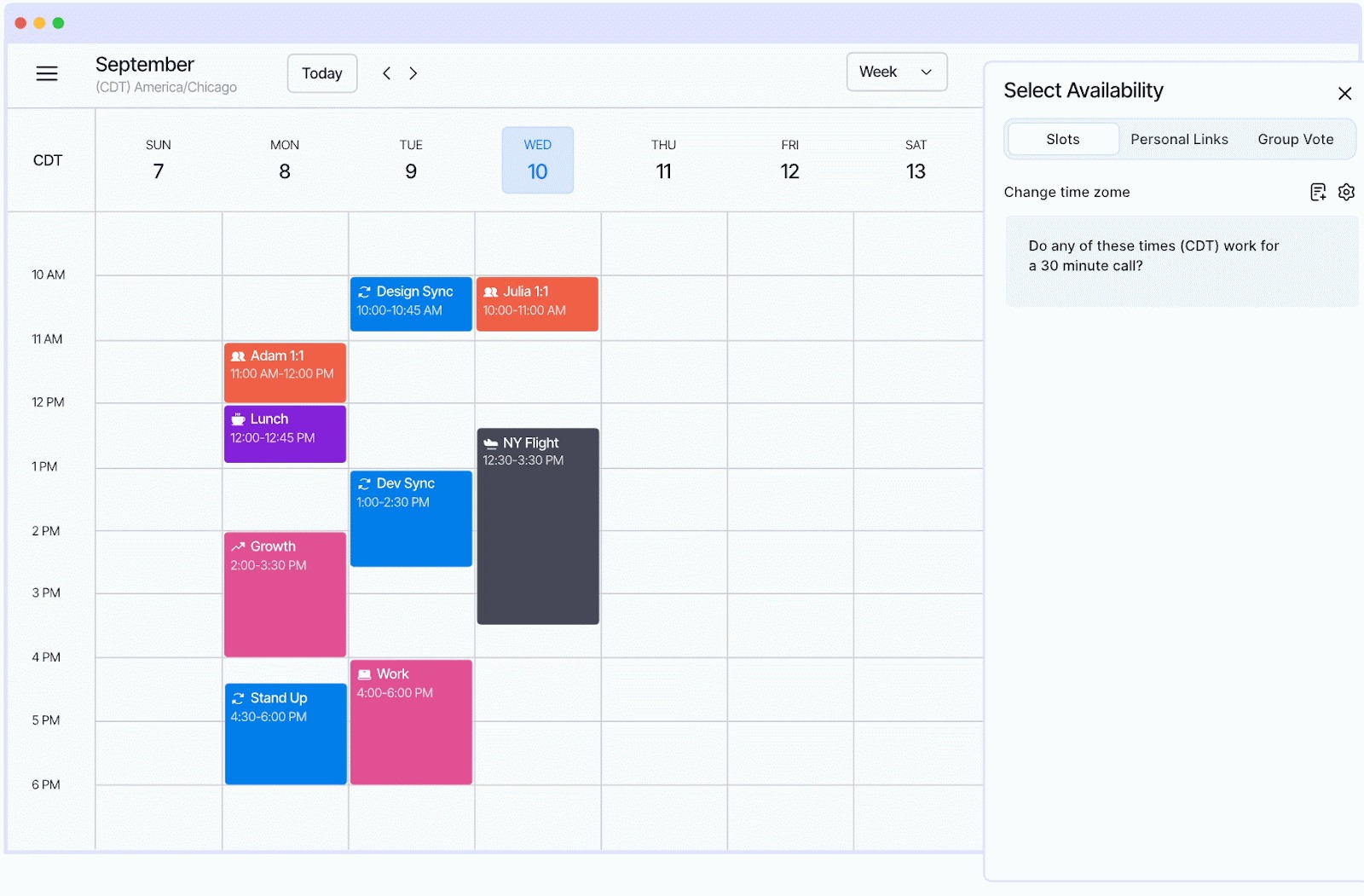
What is it: Vimcal EA is the first calendar built specifically for EAs, with AI woven into the core scheduling workflow. It works on top of your existing Google Calendar or Outlook, so nothing changes for your exec or your team.
Where most calendar tools leave the thinking to you, Vimcal EA uses AI to handle the repetitive parts: finding available times, converting time zones, managing holds, and analyzing how your exec spends their time.
Note: We built Vimcal EA, so we might be a bit biased here. But we built it because we spent four years hearing the same thing from thousands of EAs: their calendar tools had zero intelligence baked in. We think we changed that.
Free trial: Free trial available for 14 days with 1:1 onboarding
Price: Paid plans start at $62.50/month (billed annually) or $75/month (billed monthly)
Key features:
- AI free time finder: Paste availability someone sent you (text, screenshot, or booking link) directly into Vimcal, and it instantly highlights which of those times work on your calendar. You don’t have to cross-reference tabs.
- Smart holds: Drag your Slots to propose times, and Vimcal automatically creates calendar holds for each one. When a meeting is booked, the unused holds delete themselves. What used to take 77 clicks will now take eight.
- Time travel: See overlapping working hours across up to five time zones at once. Say goodbye to Googling “PST to London” or doing mental math twenty times a day.
- Calendar audits: AI categorizes and analyzes your exec’s meetings, then generates a report showing where their time is going.
- Natural language event creation: Type “Lunch with Lisa at 1pm tomorrow” and Vimcal creates the event.
Start with one AI tool
You don’t need all 10 of these tools. Start with the one that addresses whatever eats up most of your day. If it’s email, try Superhuman or ChatGPT. If it’s meetings, try Otter. If it’s scheduling, give Vimcal EA a look.
The EAs who are getting the most out of AI right now are using it for the two or three tasks that used to take the longest, and getting that time back for the strategic work that actually moves the needle.